Product
PerchPanel, a website editing dashboard
Our Role
Product strategy, interface design, engineering, content
Built With
Next.js, Vercel, Supabase
Live Demo
PerchPanel.com →Project Overview
Most small businesses end up with a website they cannot change. The design is fine on launch day, then every new price, photo or blog post becomes an email, a wait and sometimes an invoice. PerchPanel is Birdsall.ai’s answer: a dashboard built for the owner, not the developer, delivered with every site we build on Next.js and Vercel.
This page is about the product itself: every feature, what the interface looks like, how it is built and how we proved it. To prove it, we built a public demo around a complete sample website and opened it to everyone. See another website built on PerchPanel in the Ferry & Fog Interiors case study, and see what PerchPanel costs and who it is for on the PerchPanel plans and pricing page.
Every Feature
Everything PerchPanel does, one screen at a time.
These are real screens from the public demo, shown with sample data. Twenty-one features in five groups: editing your site, selling, growing your audience, understanding your numbers and managing your team.
Edit your site
Change anything on your site, in plain language.
Pages, projects, blog posts and photos each have their own simple editor. There is no code, no theme and no plugin to keep updated.
Pages
Edit every page
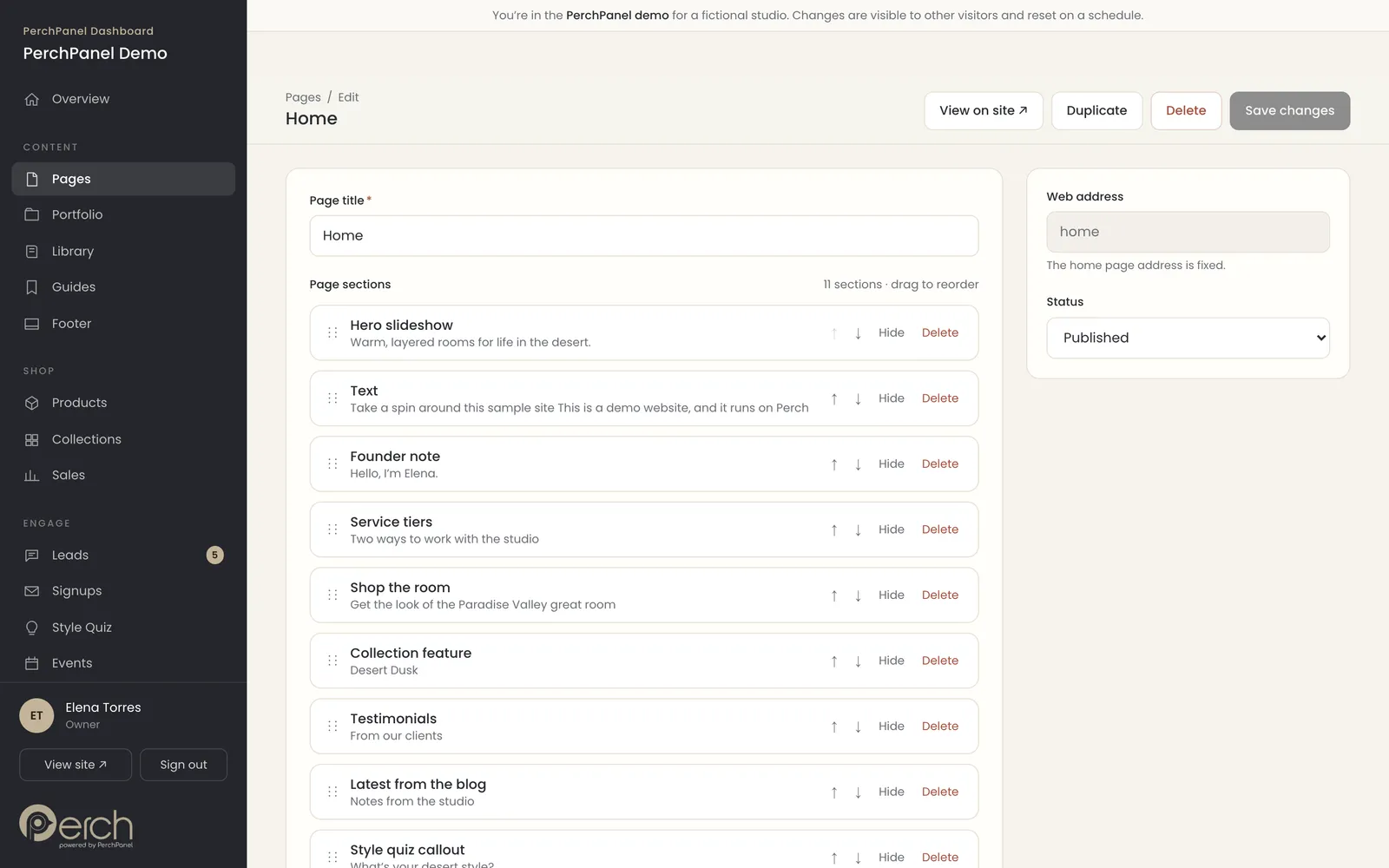
Every page is a stack of designed sections: a hero slideshow, a founder note, service tiers, a collection feature, testimonials, the latest blog posts and more. Open a page and you see the stack, with each section named the way an owner would name it.
- Move a section up or down with one click.
- Hide a section for a season without deleting it.
- Add a new section from a short list of designed building blocks.
Portfolio
Show off your work
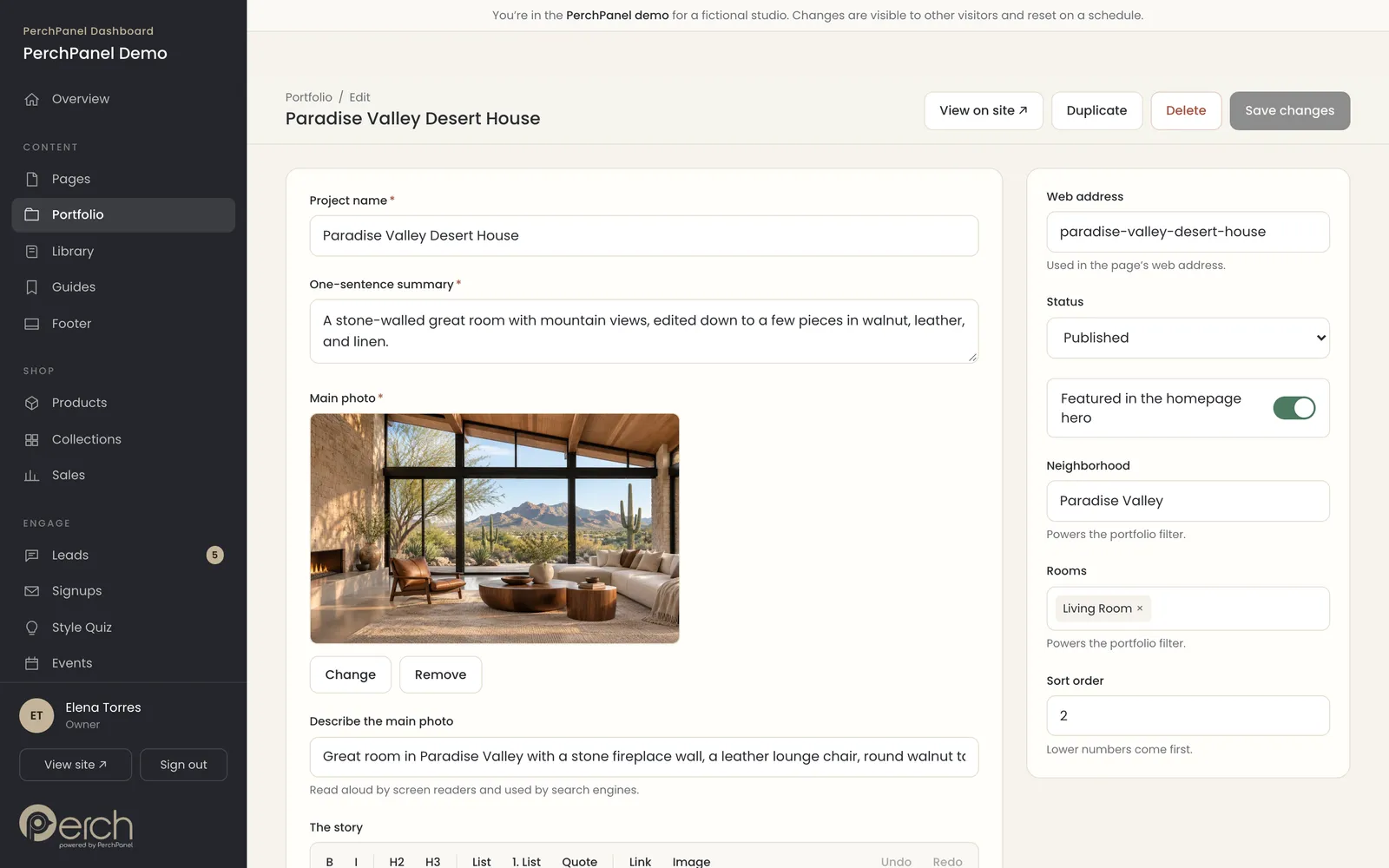
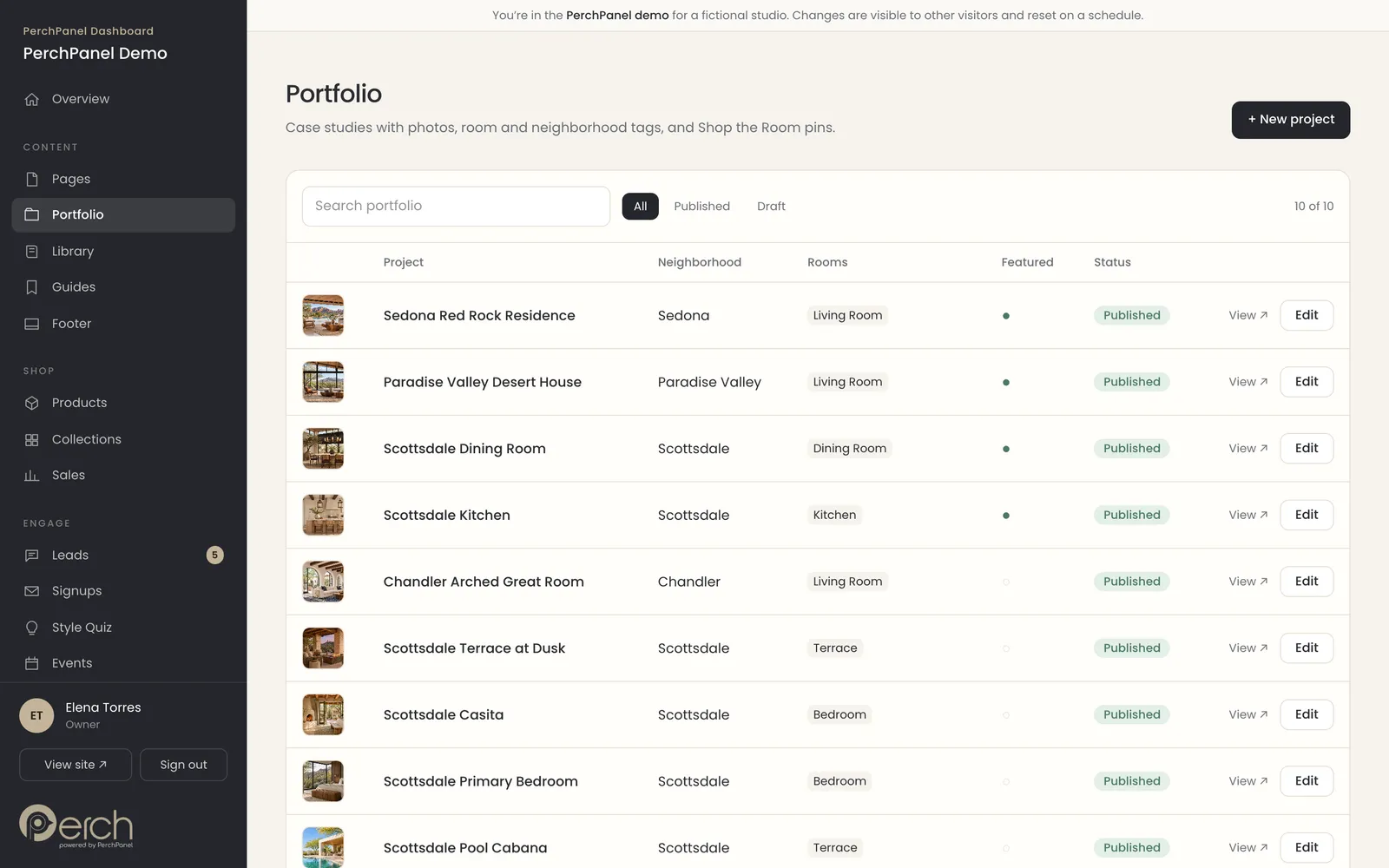
Each project has a name, a summary, a main photo, the story, extra photos with captions and a video link. Tag a project with a neighborhood and rooms, and the portfolio filter updates on its own. Mark a project as Featured and it joins the home page slideshow.
- Rich text for the story, with links and images.
- Reorder photos and edit their captions.
- Featured projects appear in the home page hero.
Shop the Room
Pins that sell the room
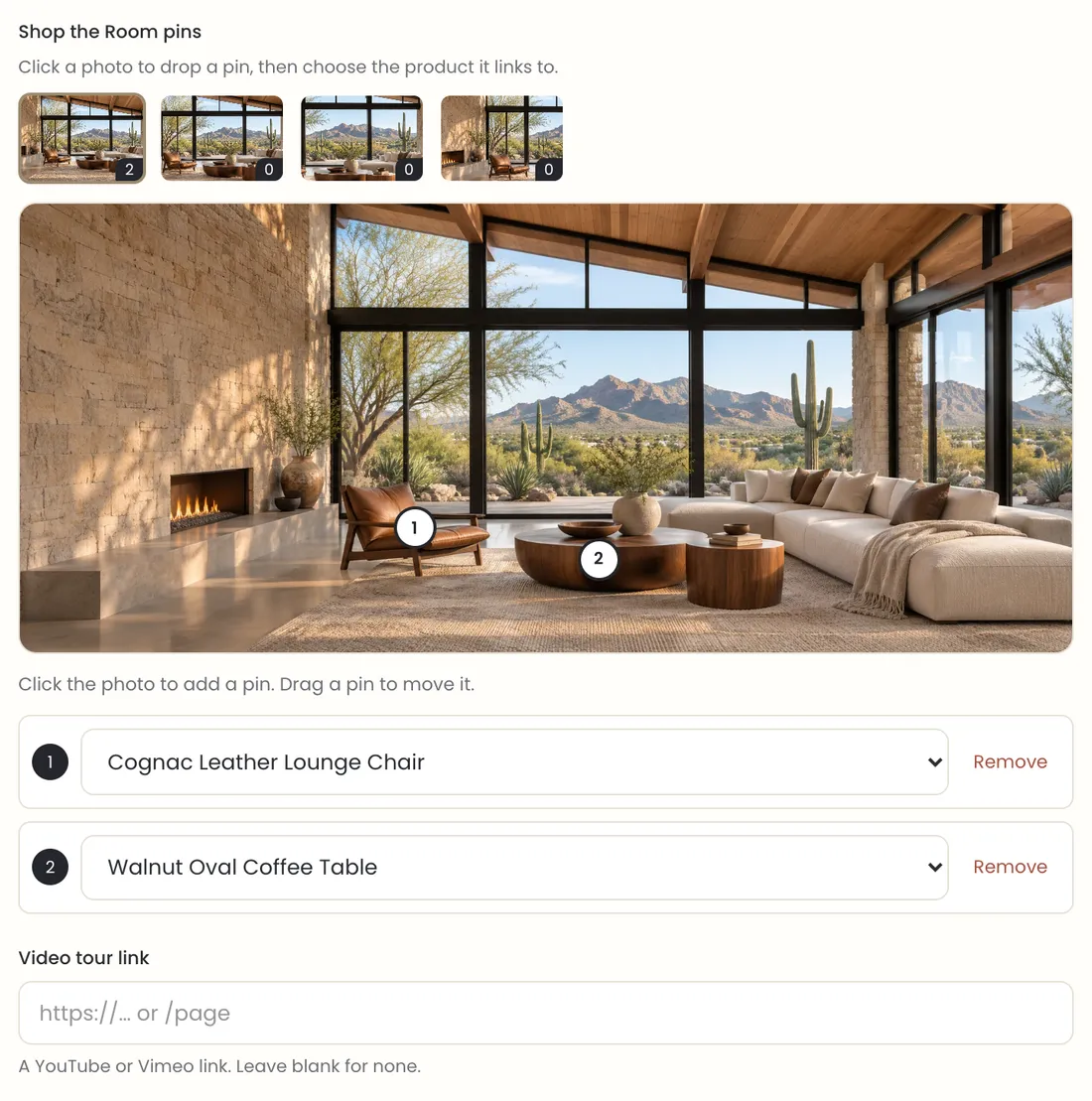
Open a project photo, click where a lamp, a chair or a table sits, and choose the product it links to. Visitors see numbered pins on the photo and a list of the pieces beside it. A portfolio that sells is the difference between a gallery and a business.
- Click the photo to add a pin, drag it to move it.
- Link each pin to any product in the shop.
- Pins work on every photo of a project.
Library
Publish a blog, lookbooks and guides
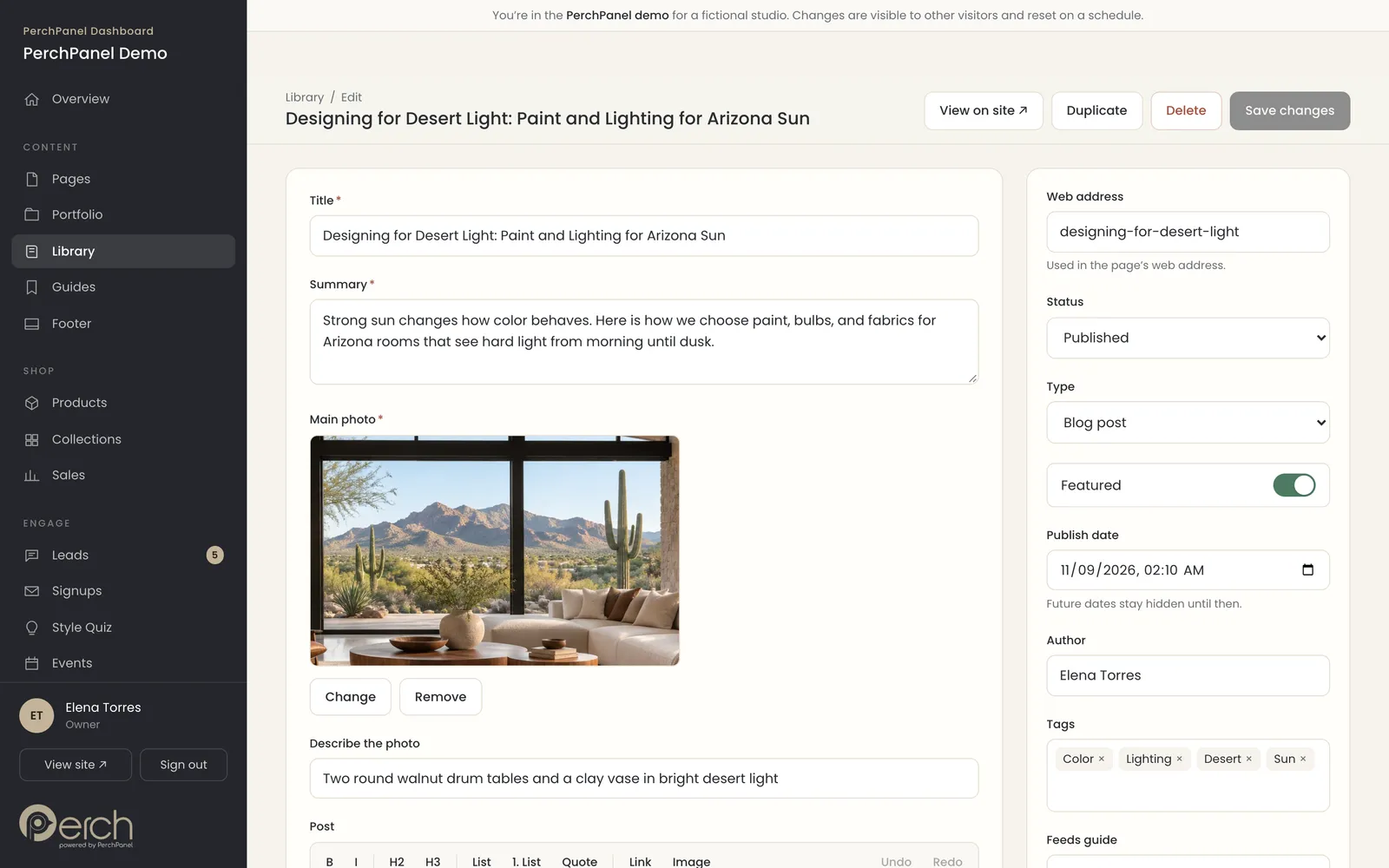
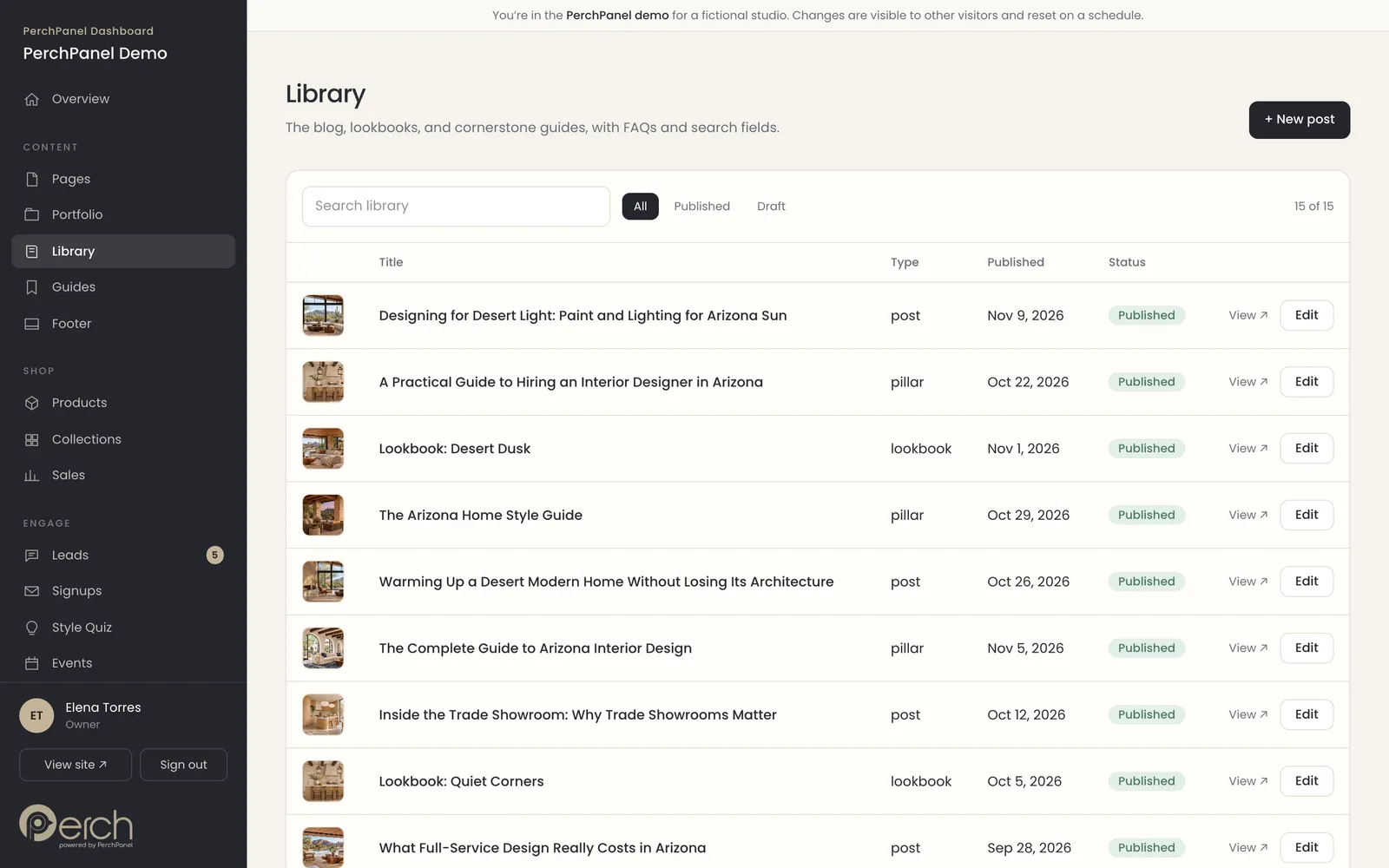
The library holds blog posts, lookbooks and cornerstone guides in one list. Posts have plain fields for the title, summary, photo, publish date, author and tags, and a formatting bar for the writing itself. Future dates stay hidden until the day you choose.
- Blog posts, lookbooks and guides in one place.
- Link a post into a cornerstone guide.
- Schedule a post by setting a future date.
Search and AI
Fortified: posts built to be found
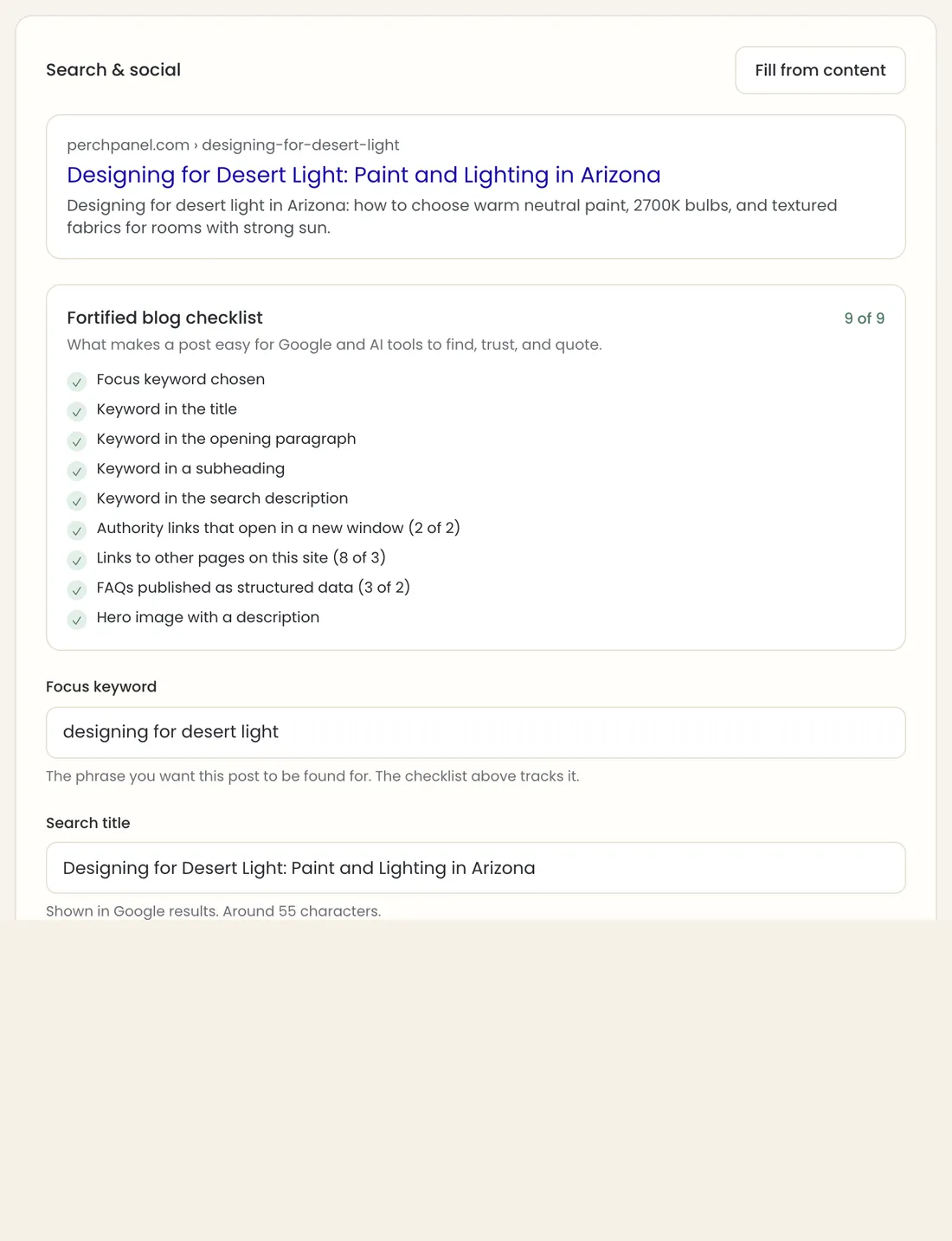
Every post carries a live nine-point checklist for the things that help Google and AI assistants find and quote a page: a focus keyword in the title, the opening paragraph, a subheading and the description, outside sources, links to your own pages, questions with answers and a described hero image. We call a post that passes all nine fortified.
- Nine checks that update as you type.
- Questions and answers publish as structured data.
- Authority links open in a new window automatically.
SEO
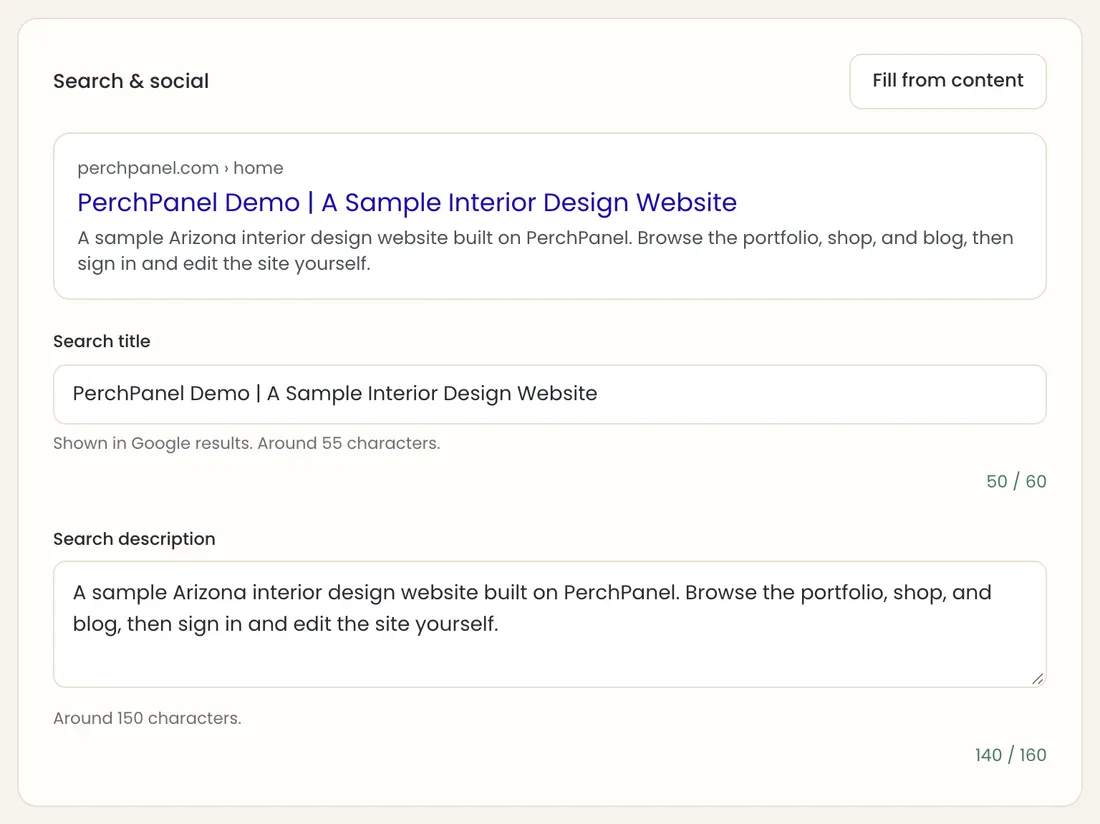
Search and social settings
Every page, post and project has a search title and description with a live preview of how it will look in Google, plus a character count so it never gets cut off. One click fills the fields from the content, and the page address is always editable.
- A Google-style preview as you type.
- Character counters for the title and description.
- Structured data added to every page for you.
Media
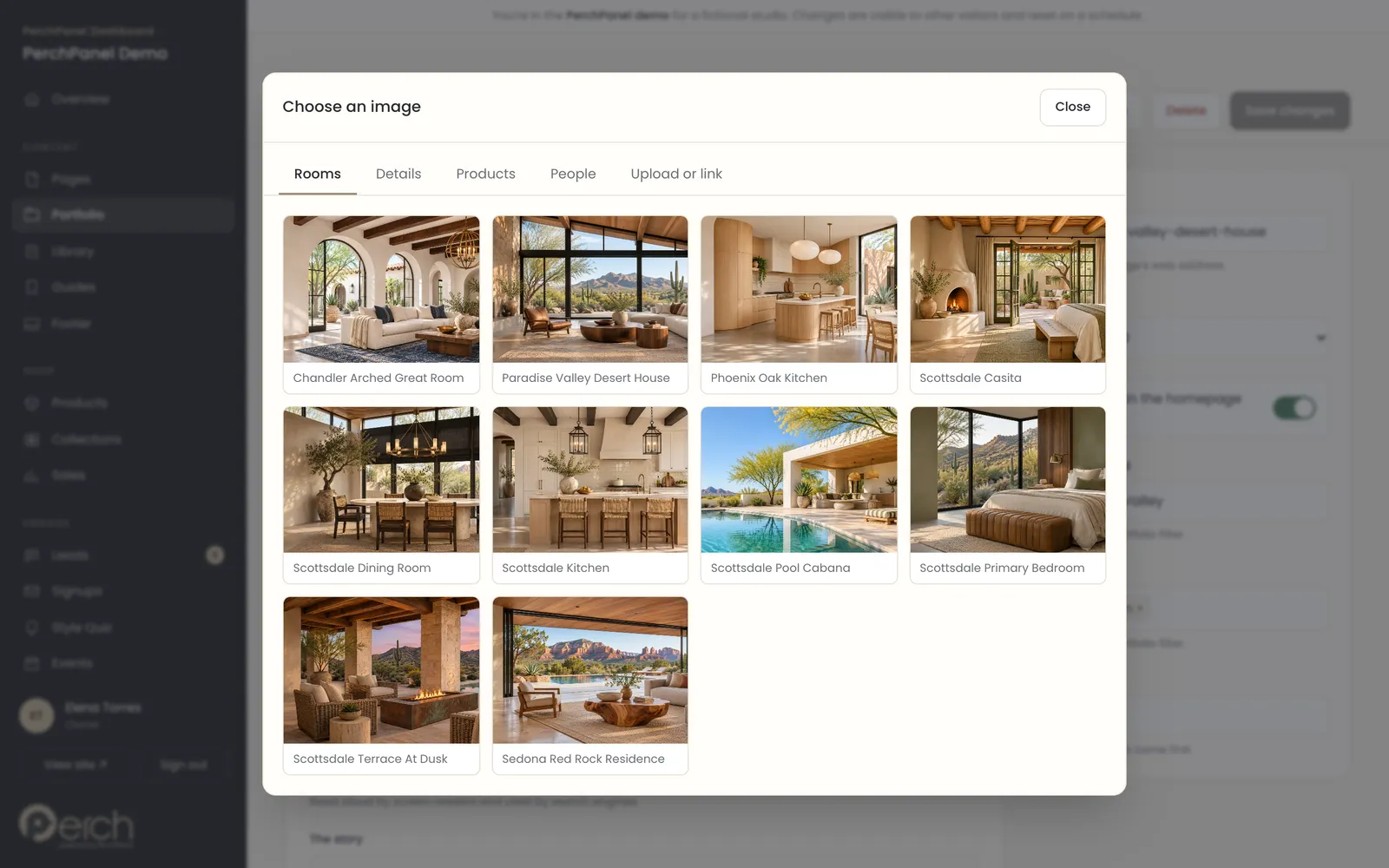
A media library for every photo
Click Change on any photo and a picker opens with your rooms, details, products, people and blog images. Choose one in a click, or upload or link a new one. The photo appears everywhere it is used.
- Browse by group, with names under each photo.
- Upload a file or paste a link.
- Every photo gets a description for screen readers and search.
Sell
Run a small shop without a second system.
Products, collections, orders and free or paid downloads live in the same dashboard as the rest of the site.
Shop
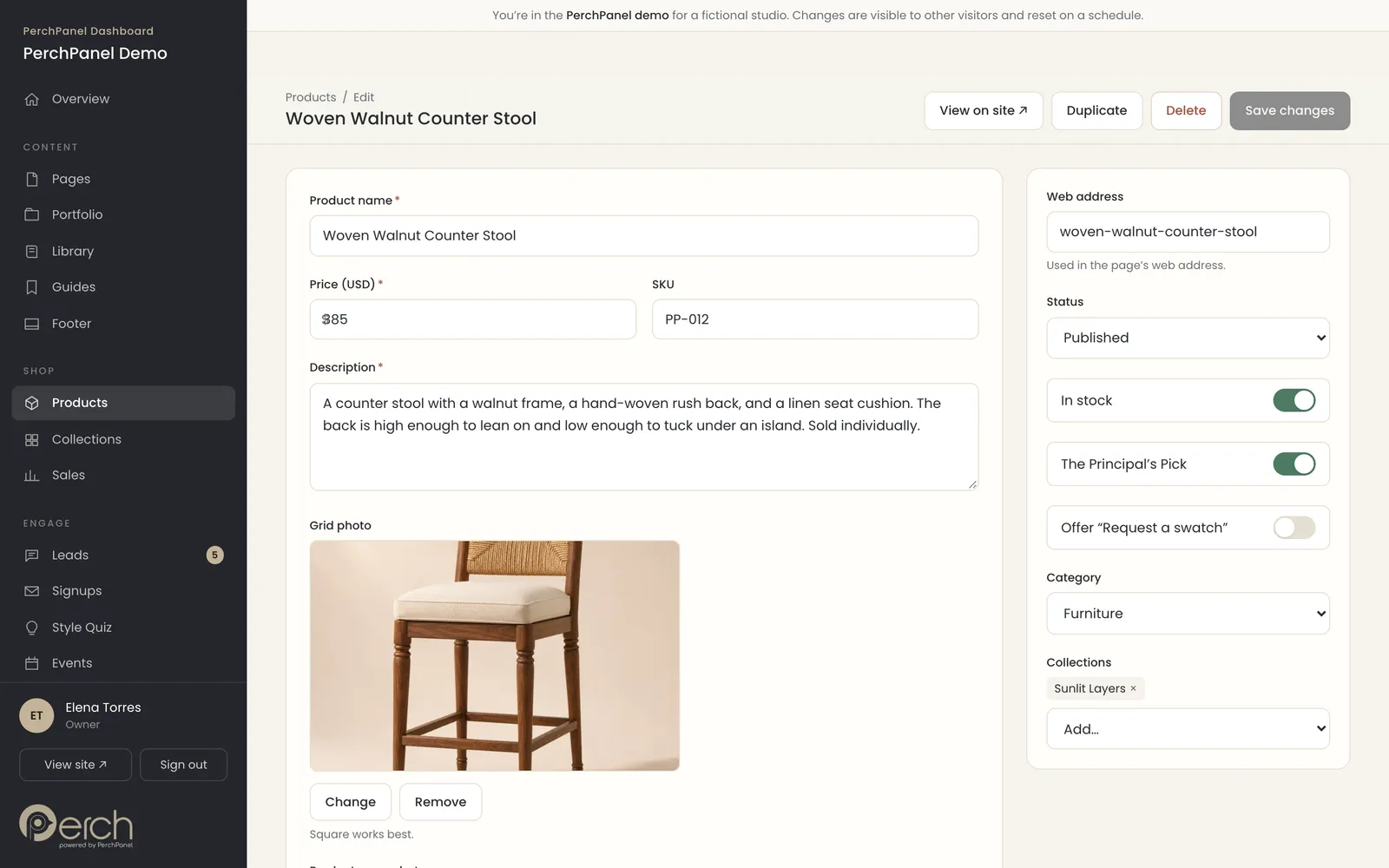
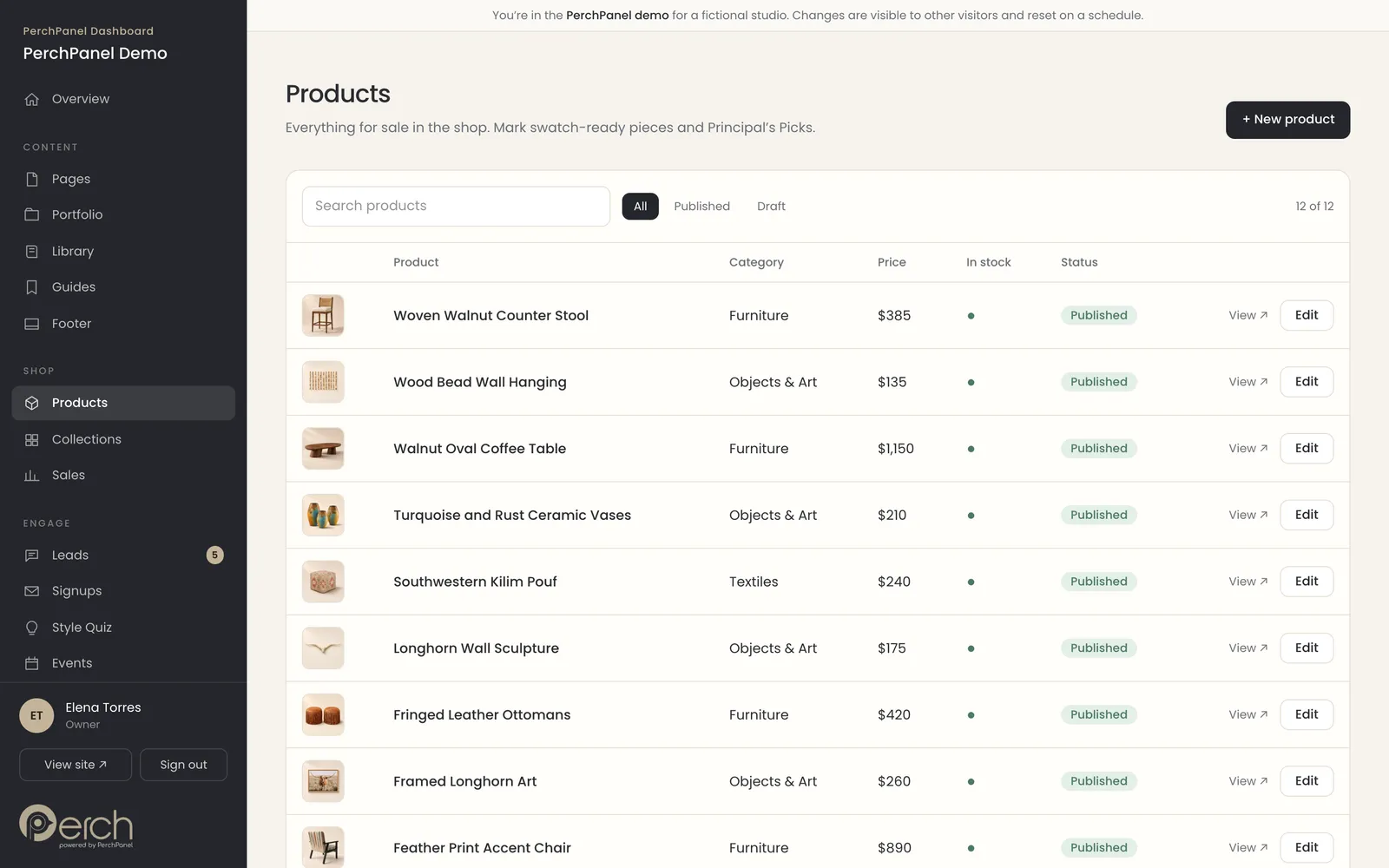
Products and collections
Add a product with a price, photos, dimensions, materials and details, then group products into collections. Mark a Principal’s Pick, turn on swatch requests or set a piece to out of stock. Collections can be matched to a style quiz result.
- Plain fields for price, size, materials and care.
- Collections that feature on the home page.
- Swatch requests that arrive in the leads inbox.
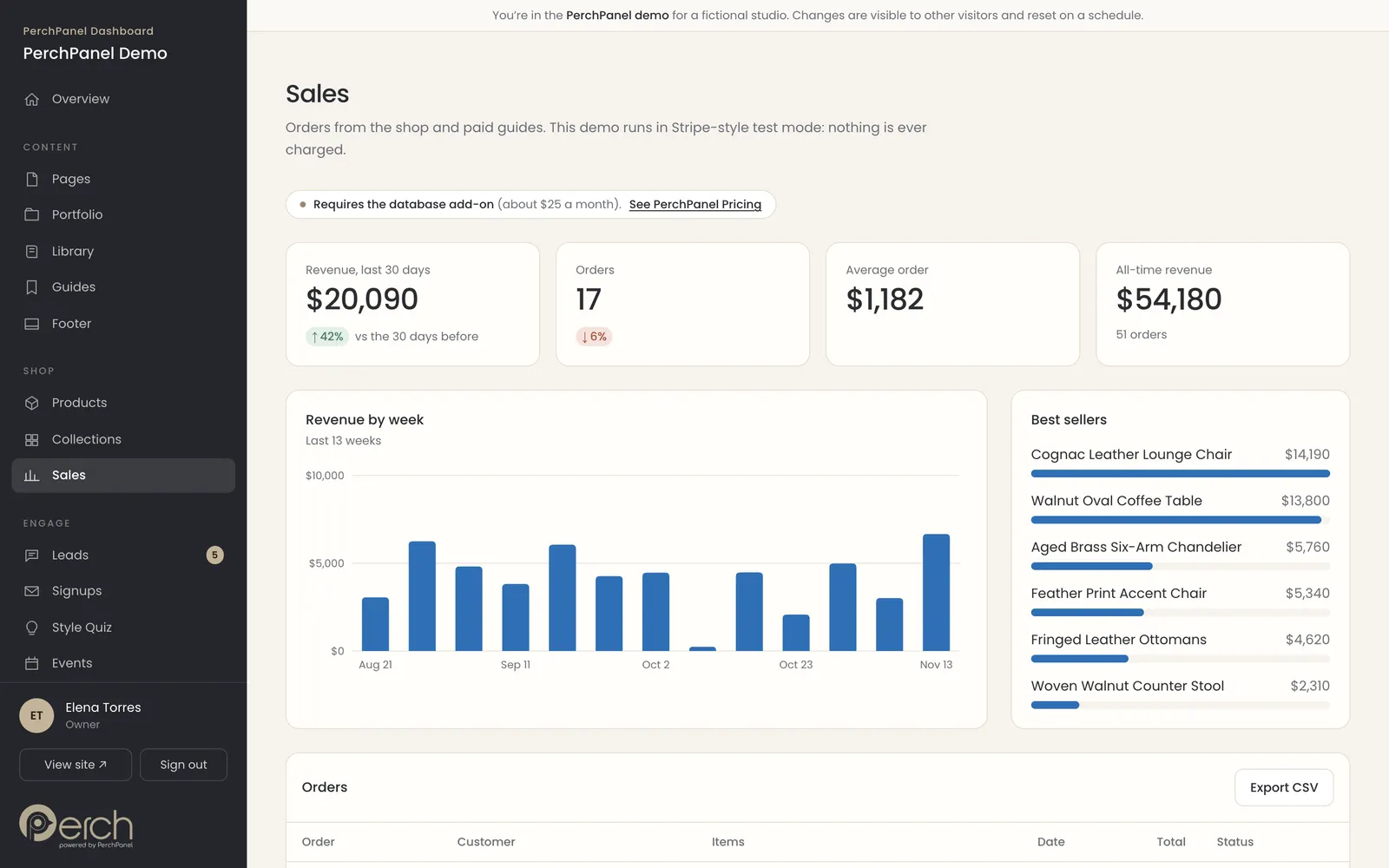
Sales
Sales and orders
See revenue for the last thirty days, the number of orders, the average order and the best sellers, with a list of every order underneath. Checkout runs through Stripe. In the public demo it runs in test mode and never charges a card.
- Revenue, orders and average order value.
- Best sellers ranked by revenue.
- Export orders as a spreadsheet.
Needs the database service, about $25 a month. See what a typical month adds up to.
Lead magnets
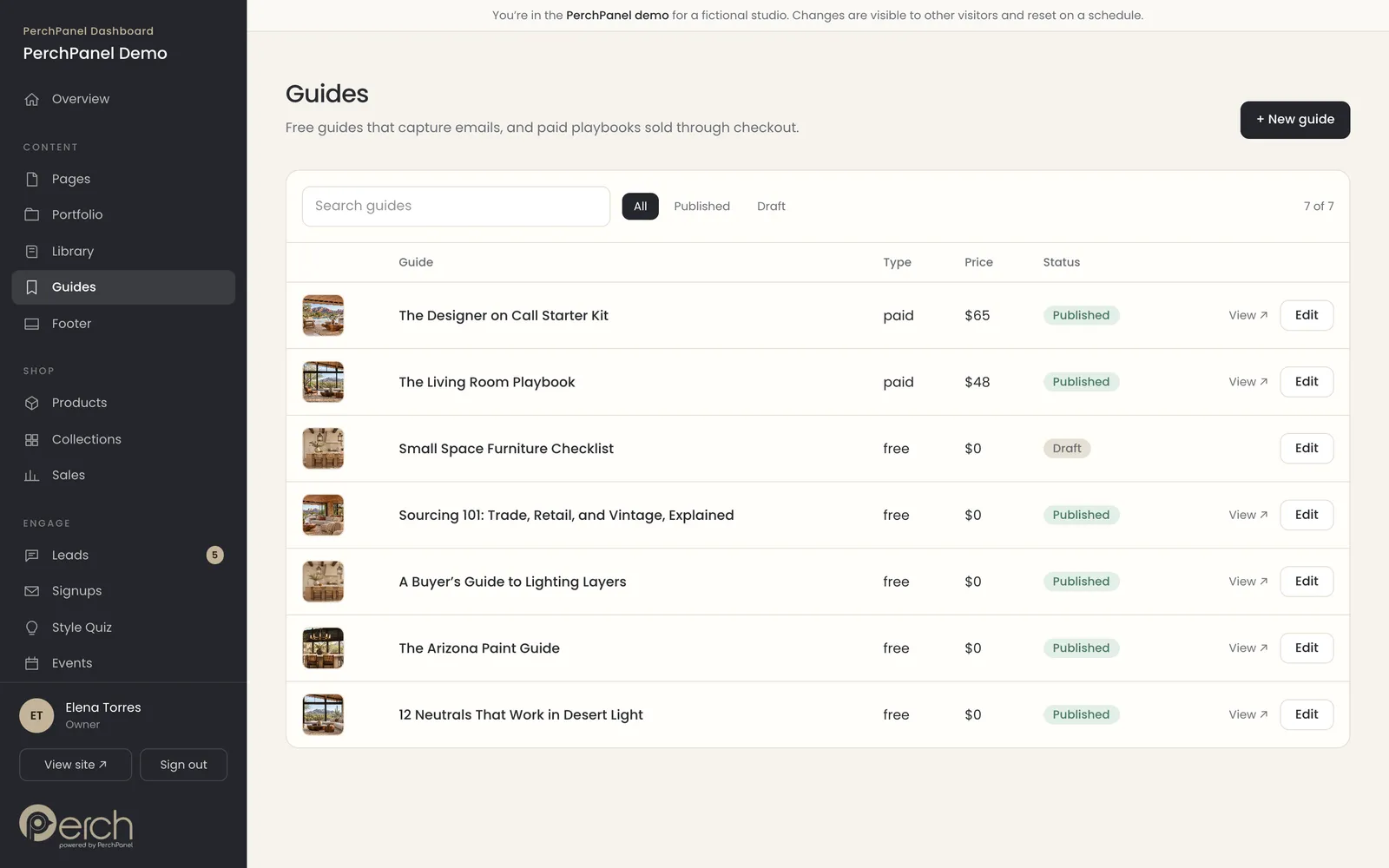
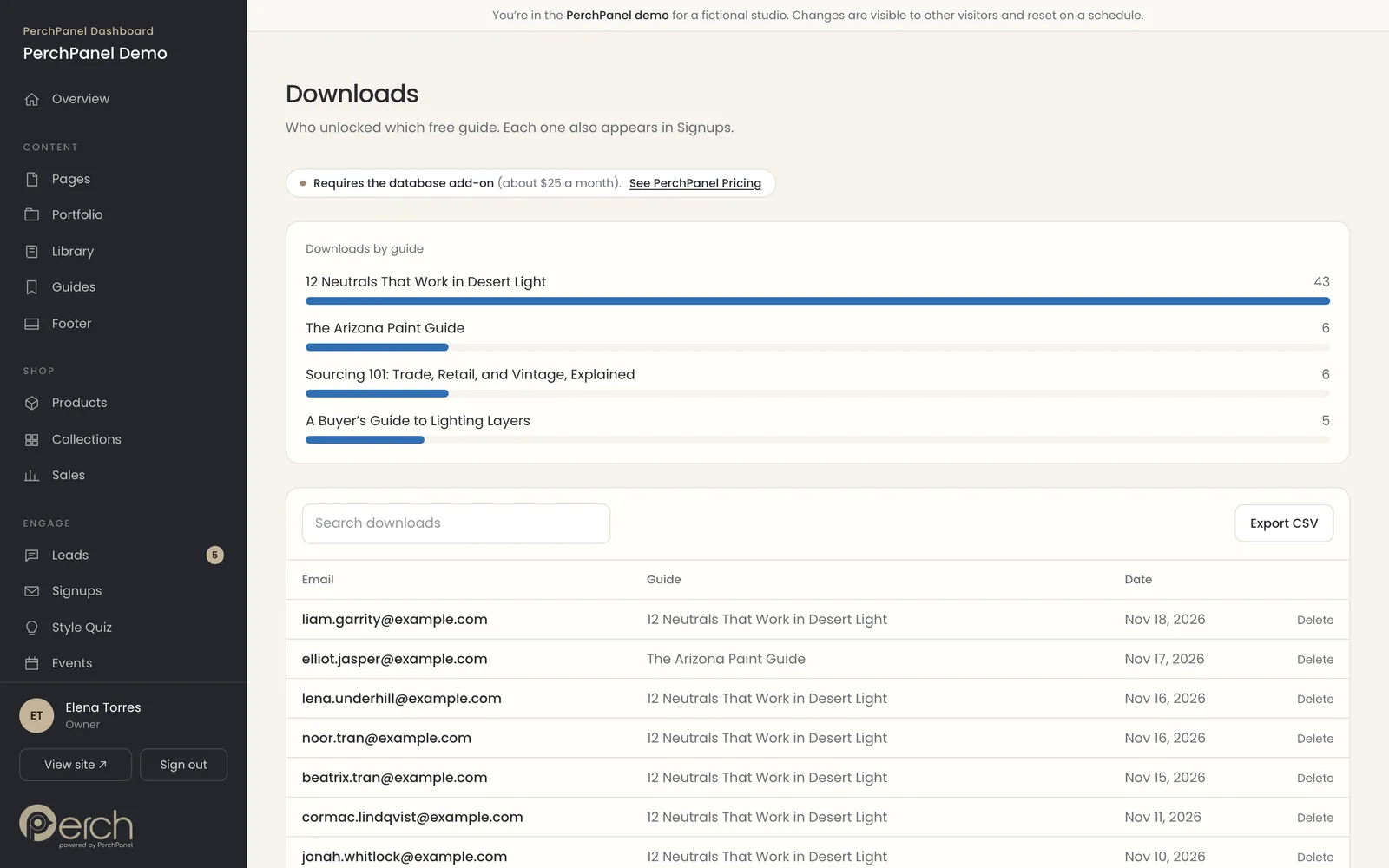
Guides and downloads
Publish a free guide that asks for an email address, or a paid playbook that goes through checkout. The downloads page shows who took which guide and when, and every address lands in the signups list.
- Free guides that capture an email.
- Paid guides sold through checkout.
- A log of who downloaded what, with export.
Needs the database service, about $25 a month. See what a typical month adds up to.
Grow
Turn visitors into conversations.
Inquiries, signups, quiz results and event RSVPs arrive in one place, so the owner can follow up while the interest is fresh.
Leads
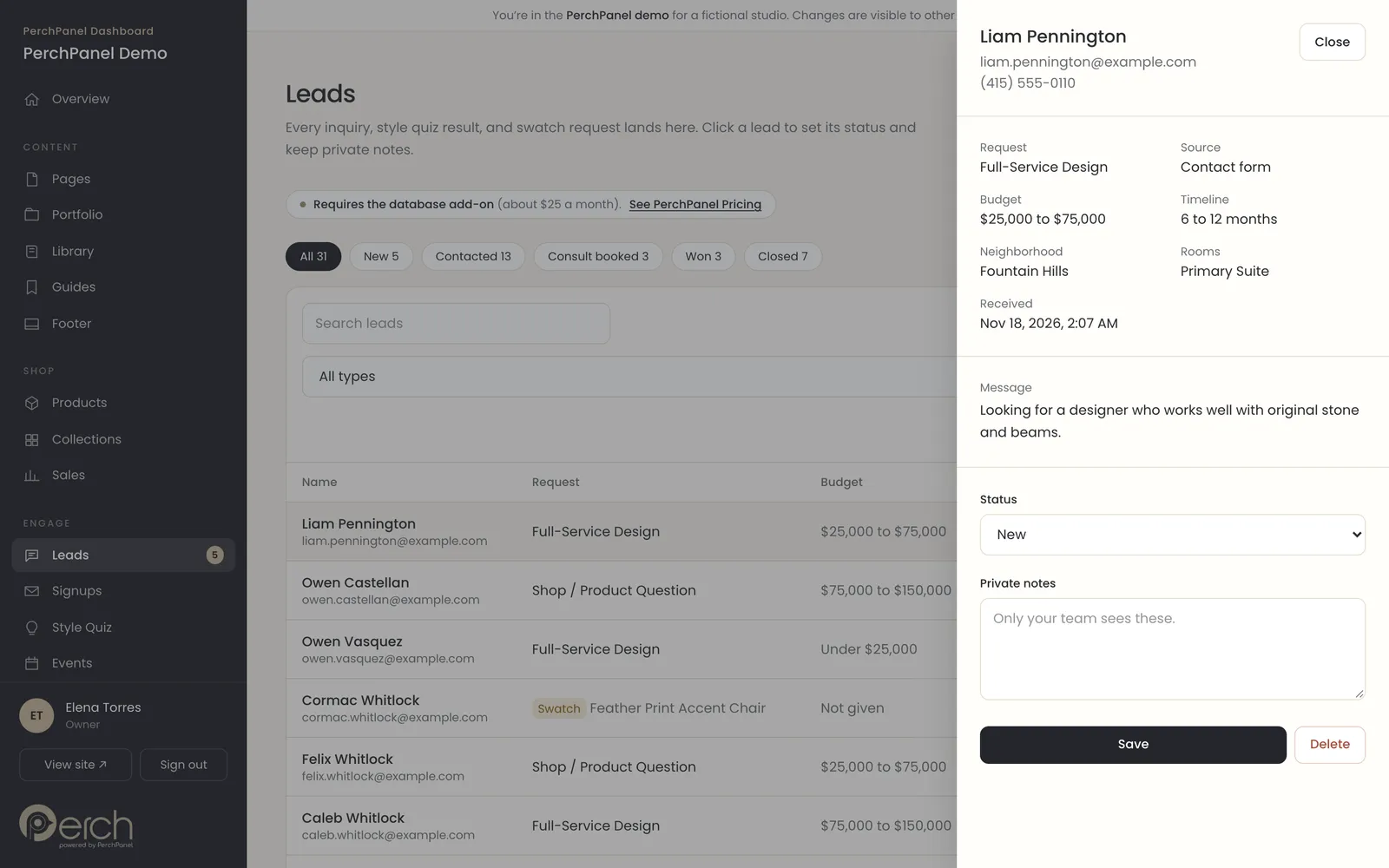
A leads inbox
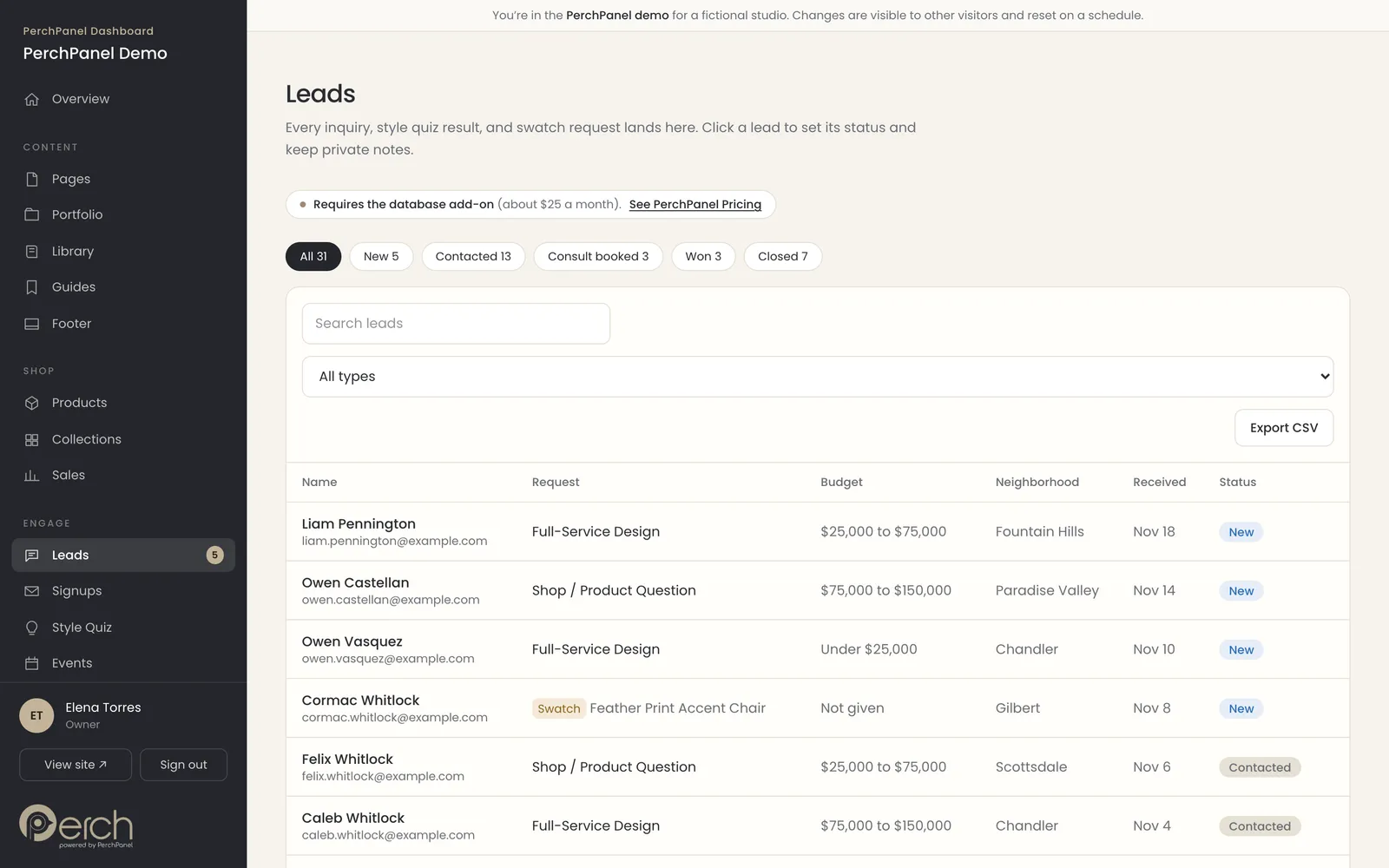
Every inquiry, style quiz result and swatch request becomes a lead with a status: New, Contacted, Consult booked, Won or Closed. Click a lead to see the budget, timeline, neighborhood and message, change its status and add a private note your team can see.
- Five statuses, with a count on each.
- Private notes for your team.
- Search, filter by type and export to a spreadsheet.
Needs the database service, about $25 a month. See what a typical month adds up to.
Audience
Signups from every source
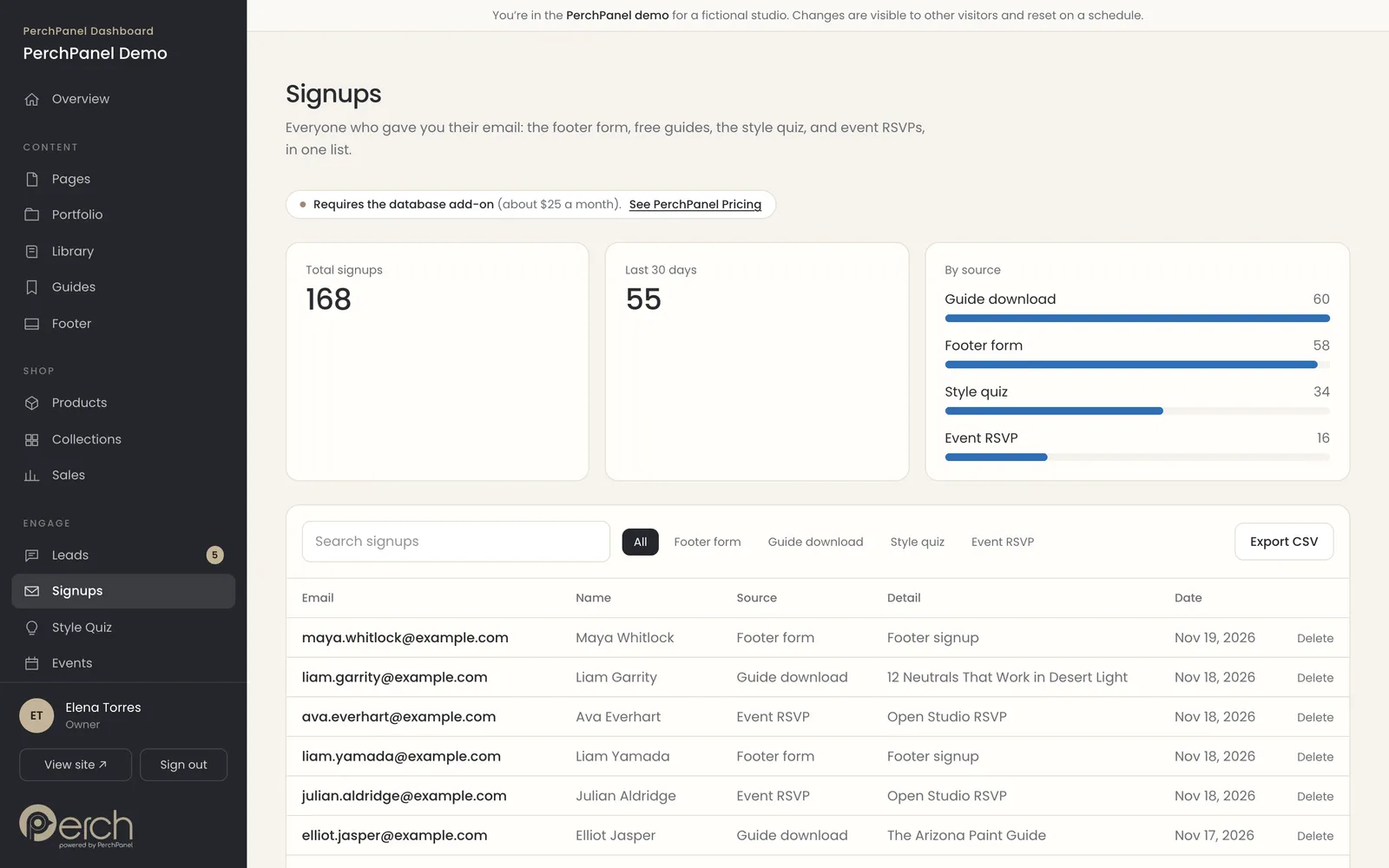
Newsletter signups, guide downloads, quiz takers and event RSVPs collect in one list, with the source of each. A summary shows the total, the last thirty days and where signups come from.
- One list for every source.
- A breakdown of where signups come from.
- Export the list when you are ready to send.
Needs the database service, about $25 a month. See what a typical month adds up to.
Quiz
A style quiz that sorts visitors
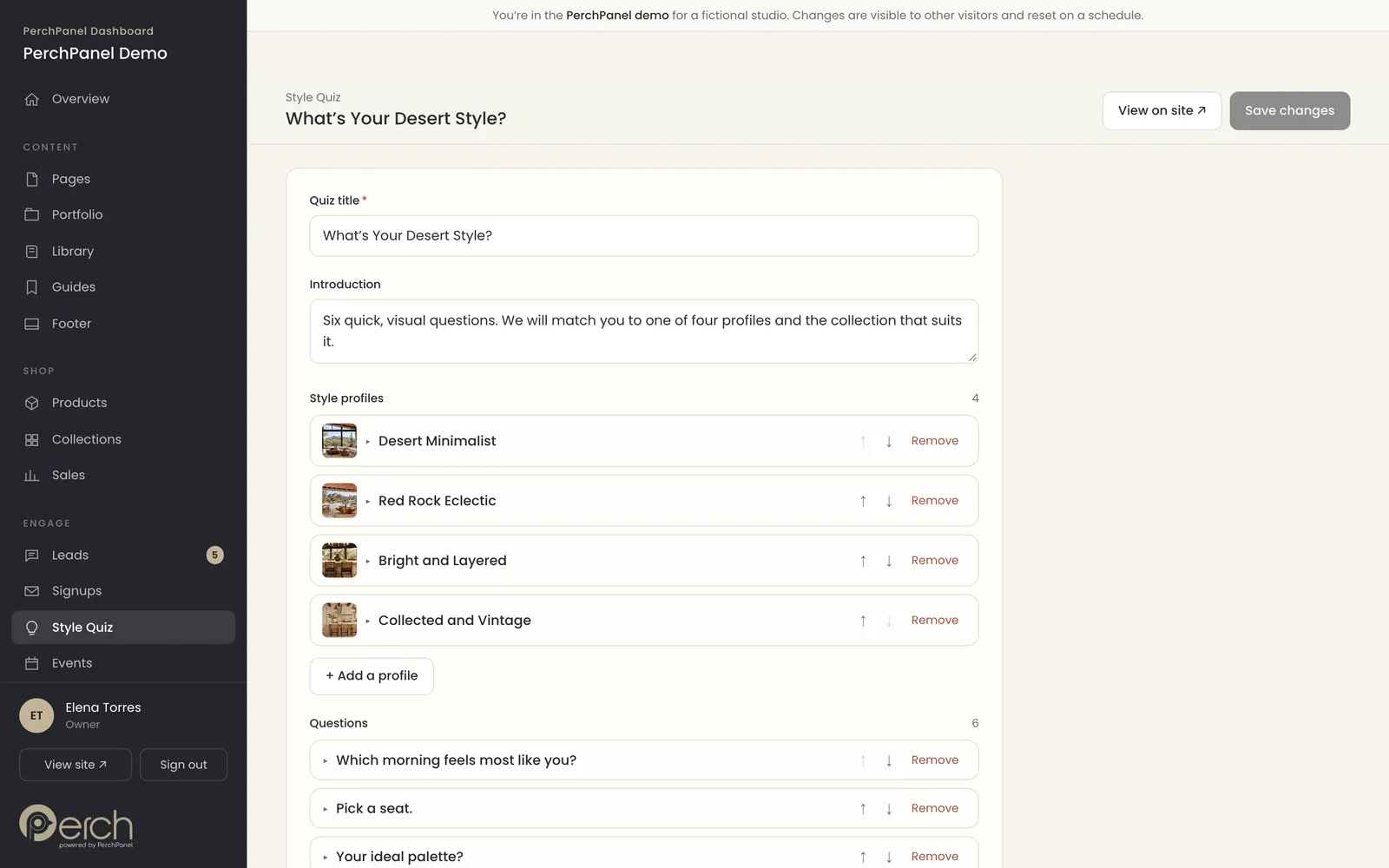
A short visual quiz matches visitors to a style profile and a product collection. Edit the profiles and every question in the same plain fields as the rest of the site, then watch the results build up on the overview.
- Profiles with a name, description, palette and collection.
- Questions with picture answers.
- Results feed the leads inbox and overview.
Events
Events and RSVPs
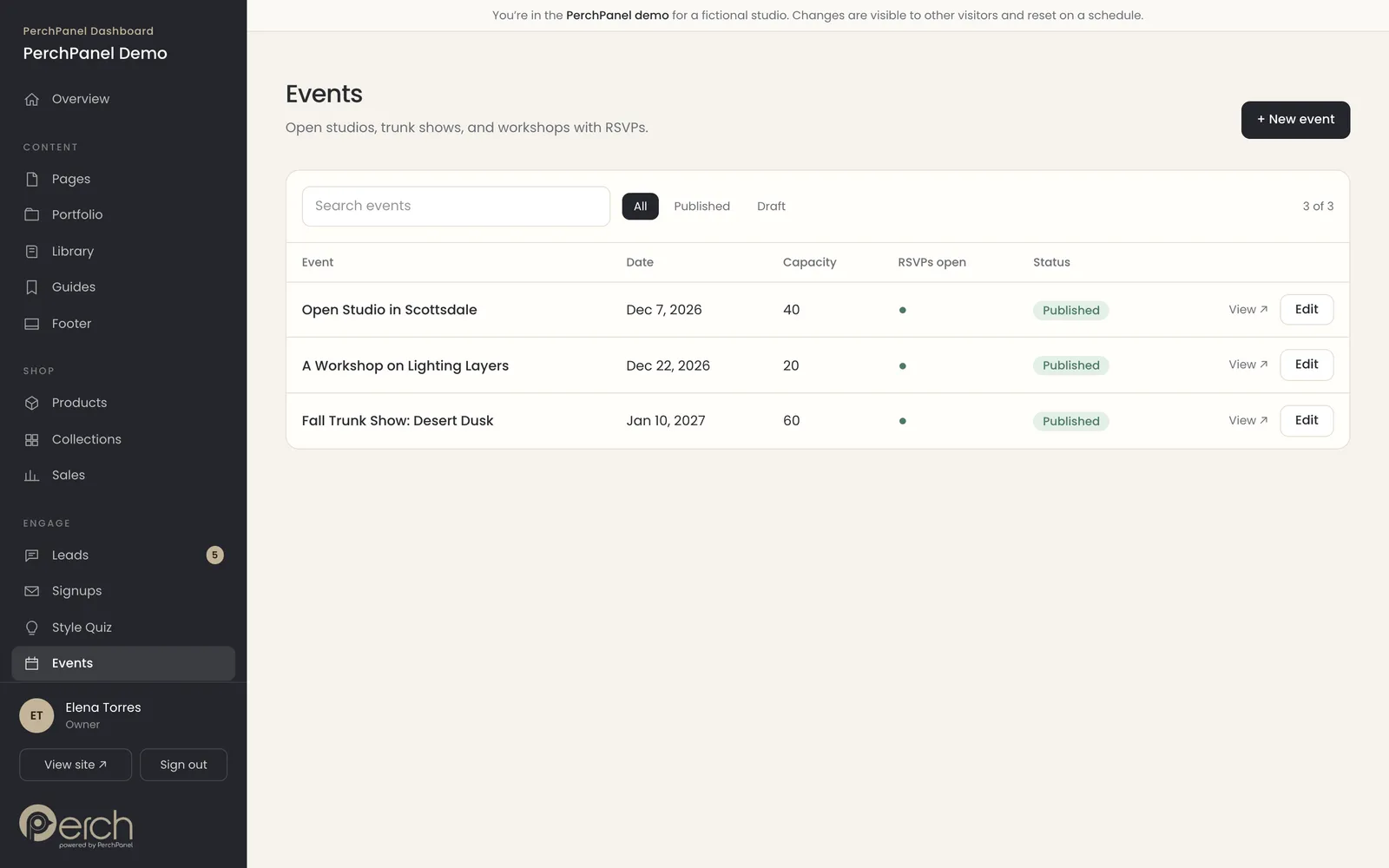
List open studio days, workshops and trunk shows with a date, time, place and capacity. Turn RSVPs on or off for each event, and every RSVP lands in the signups list.
- Date, time, location and capacity.
- RSVPs on or off per event.
- Upcoming events appear on the site automatically.
Proof
Testimonials, press and team
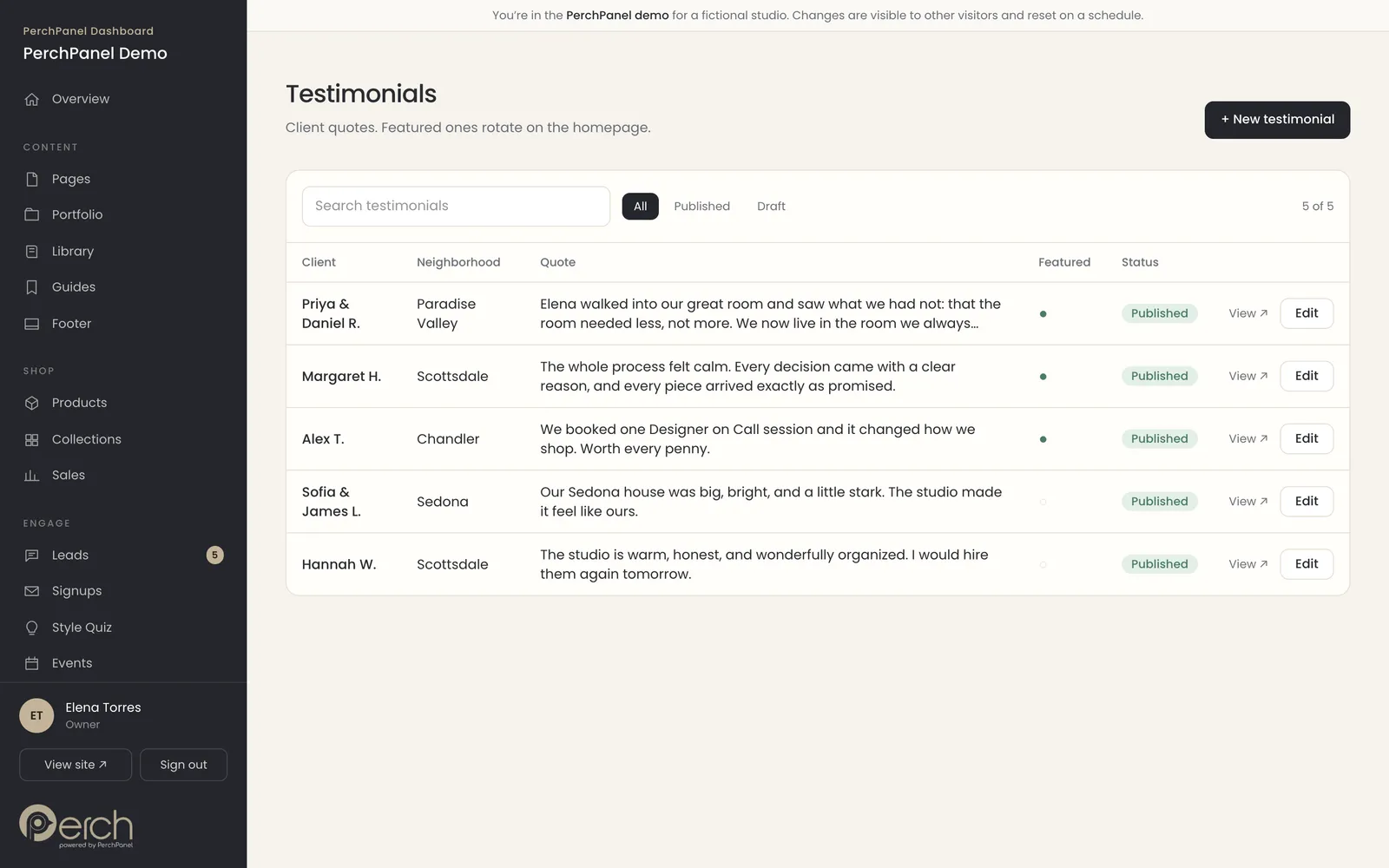
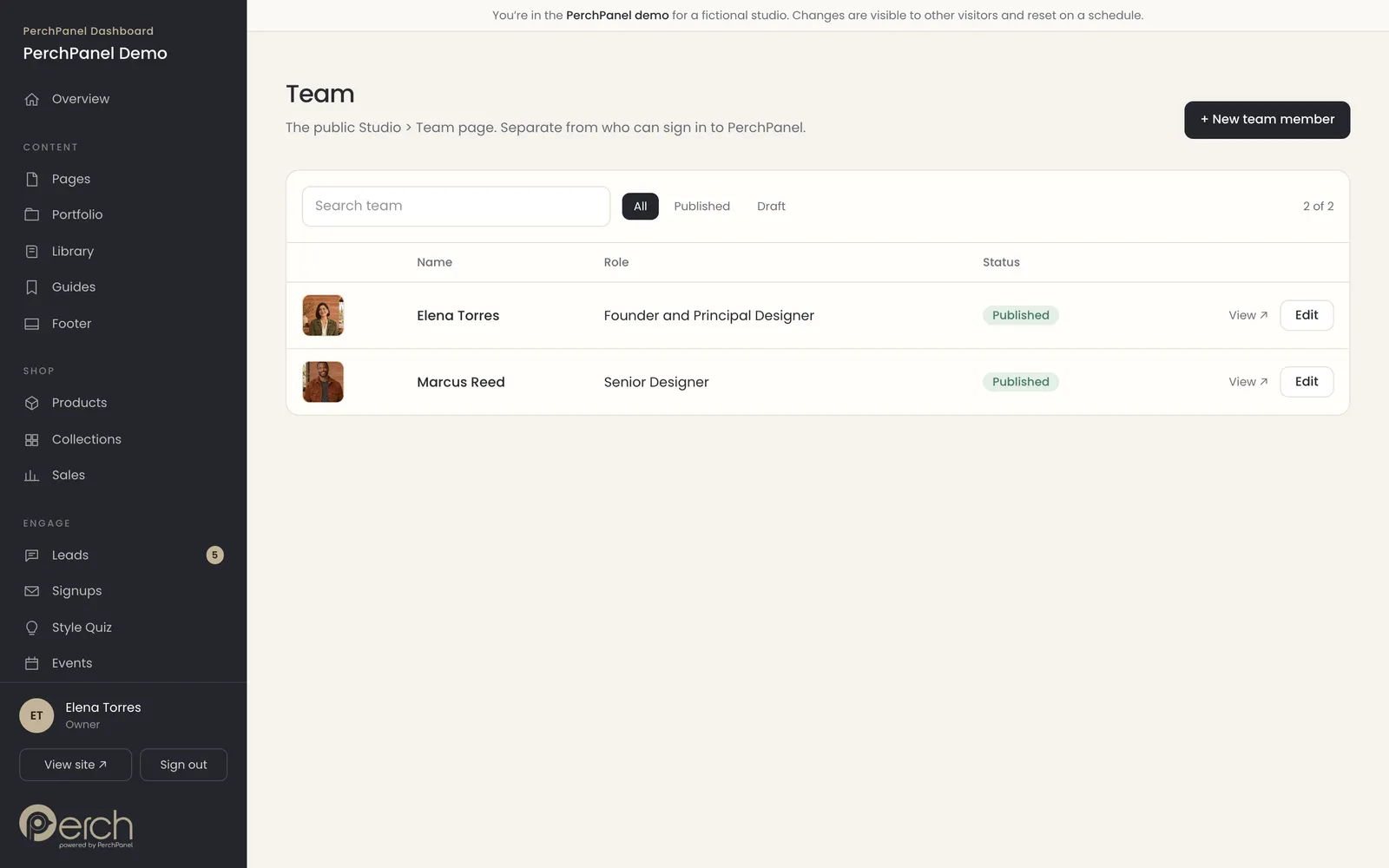
The people and proof on your site each have a short list and a simple form: testimonials with a featured toggle, press mentions and the public team. The team page is separate from the people who can sign in, so you can list someone on the site without giving them access.
- Feature a testimonial on the home page.
- Add press with an outlet, headline and date.
- Edit the footer and its links in one place.
Understand
See what is working.
The numbers an owner actually checks, without a separate analytics account or a cookie banner.
Overview
An overview that opens on the numbers
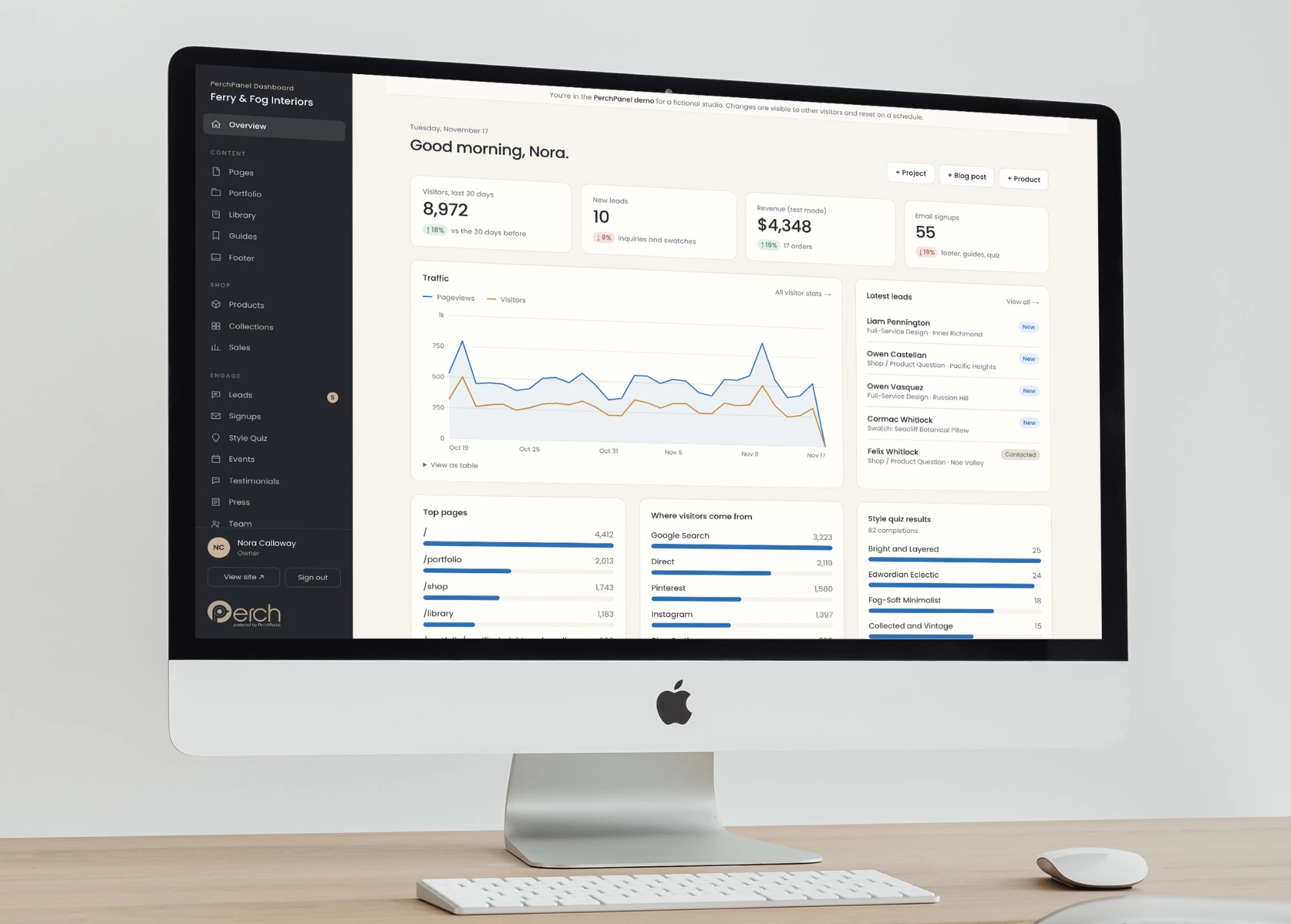
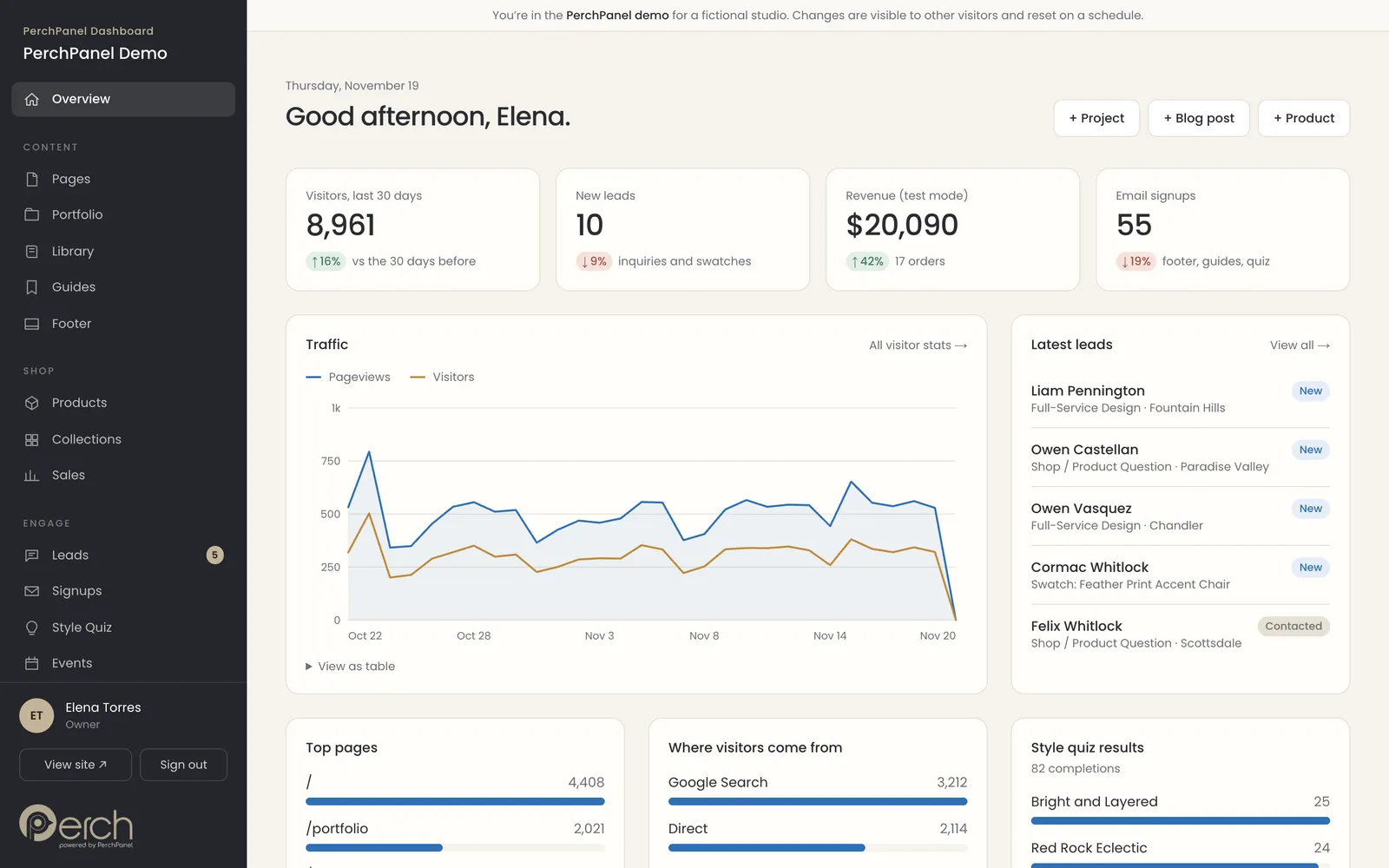
The dashboard opens on visitors, new leads, revenue and signups for the last thirty days, with the trend against the thirty days before. Below are the traffic chart, the latest leads, the top pages, where visitors come from and the style quiz results.
- Four numbers, each compared with the last period.
- Shortcuts to add a project, a blog post or a product.
- The latest leads, one click from the inbox.
Analytics
Visitor stats with no cookies
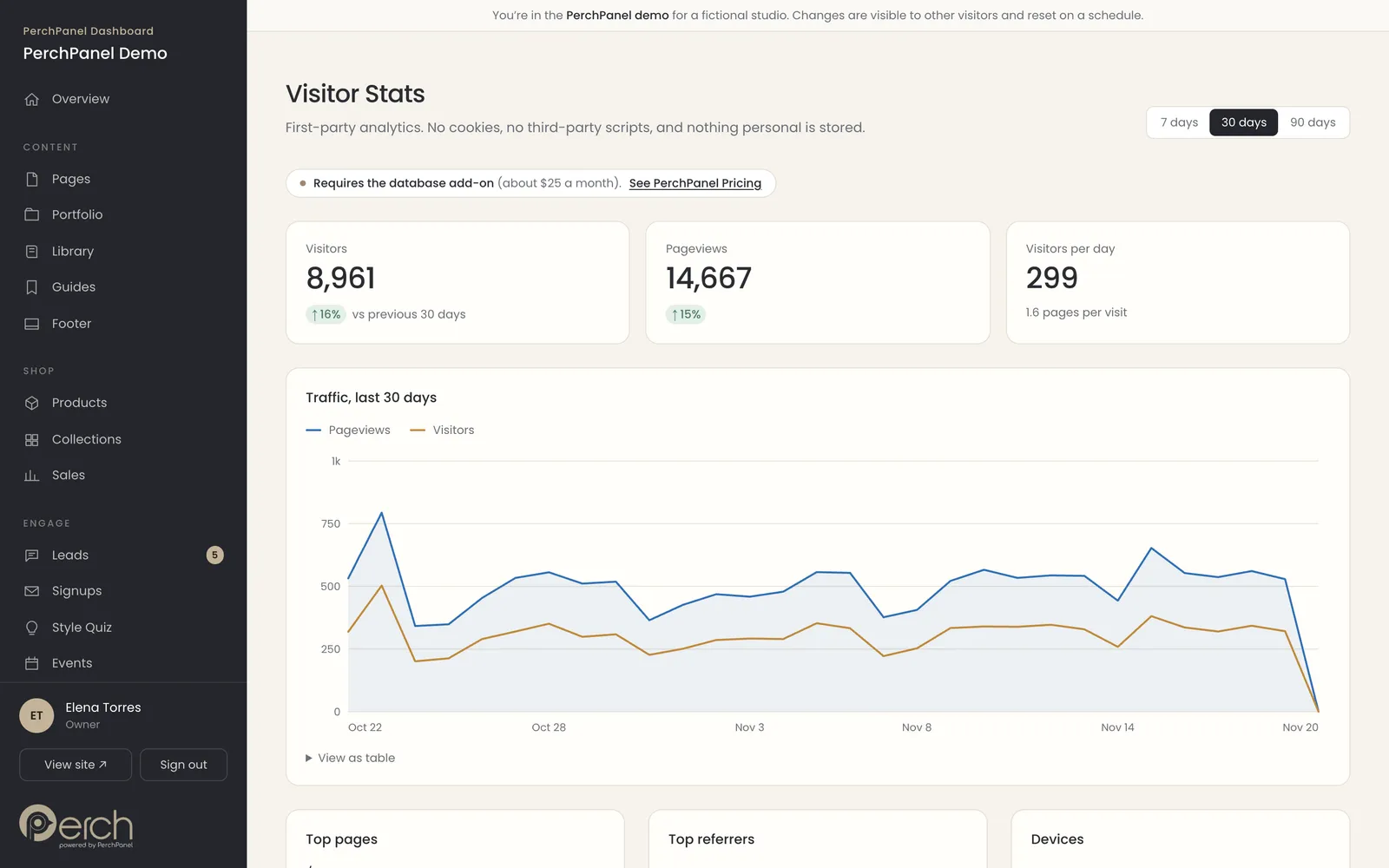
First-party analytics show visitors, pageviews, top pages, top referrers and devices for the last seven, thirty or ninety days. There are no cookies, no third-party scripts and nothing personal is stored, so there is nothing to put in a consent banner.
- Seven, thirty and ninety day views.
- Top pages, referrers and devices.
- No cookies and no third-party scripts.
Needs the database service, about $25 a month. See what a typical month adds up to.
Manage
Give your team the right access.
Invite teammates, switch sections on and off, and keep an eye on what you pay, all from the same dashboard.
Team access
Users and roles
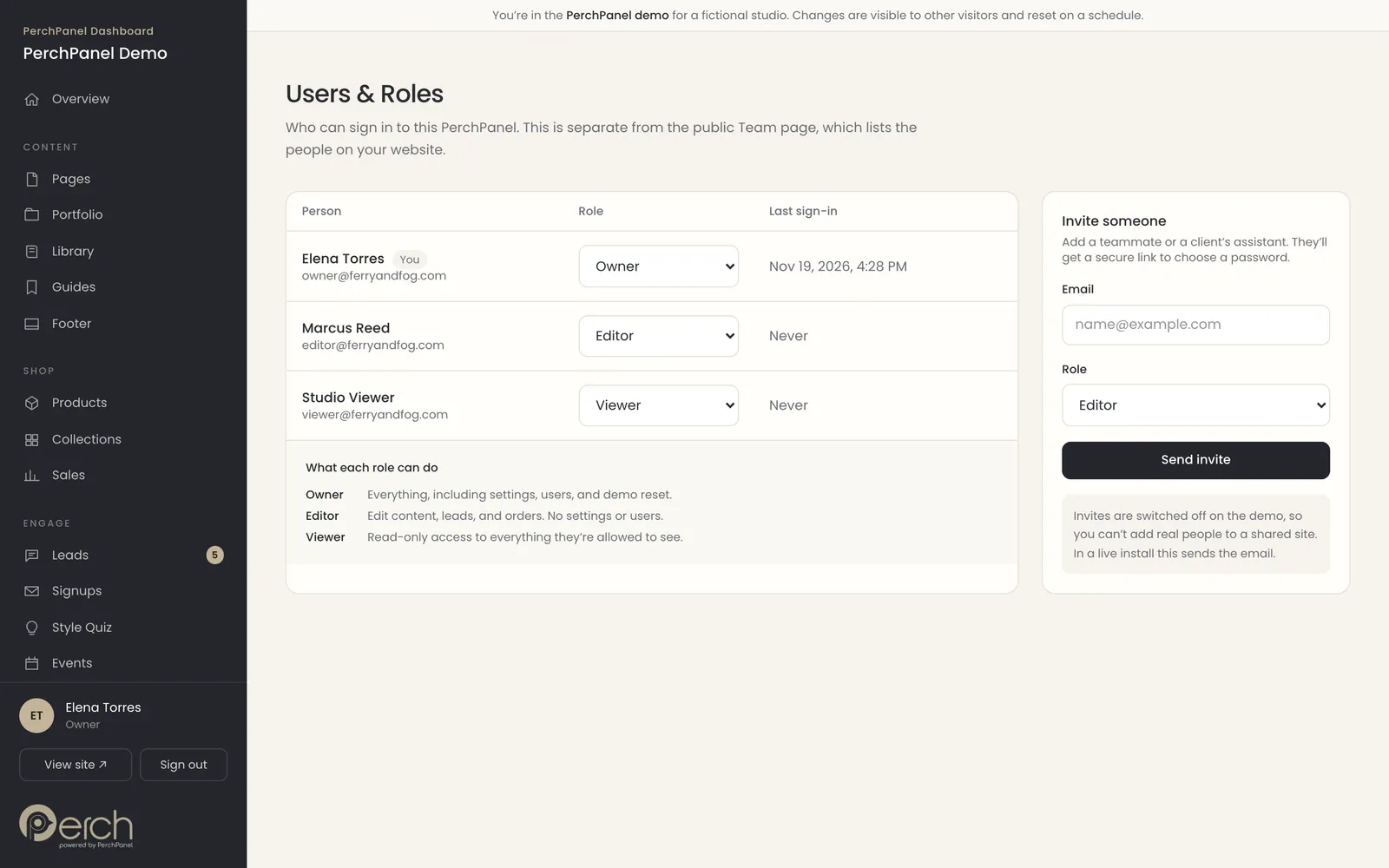
Invite a teammate by email and choose a role. An Owner can do everything, an Editor can change content and manage leads, and a Viewer can only look. It is the same arrangement a client’s accountant or assistant needs, with no shared passwords.
- Owner, Editor and Viewer roles.
- Invite by email.
- A plain list of who can do what.
Settings
Turn modules on and off
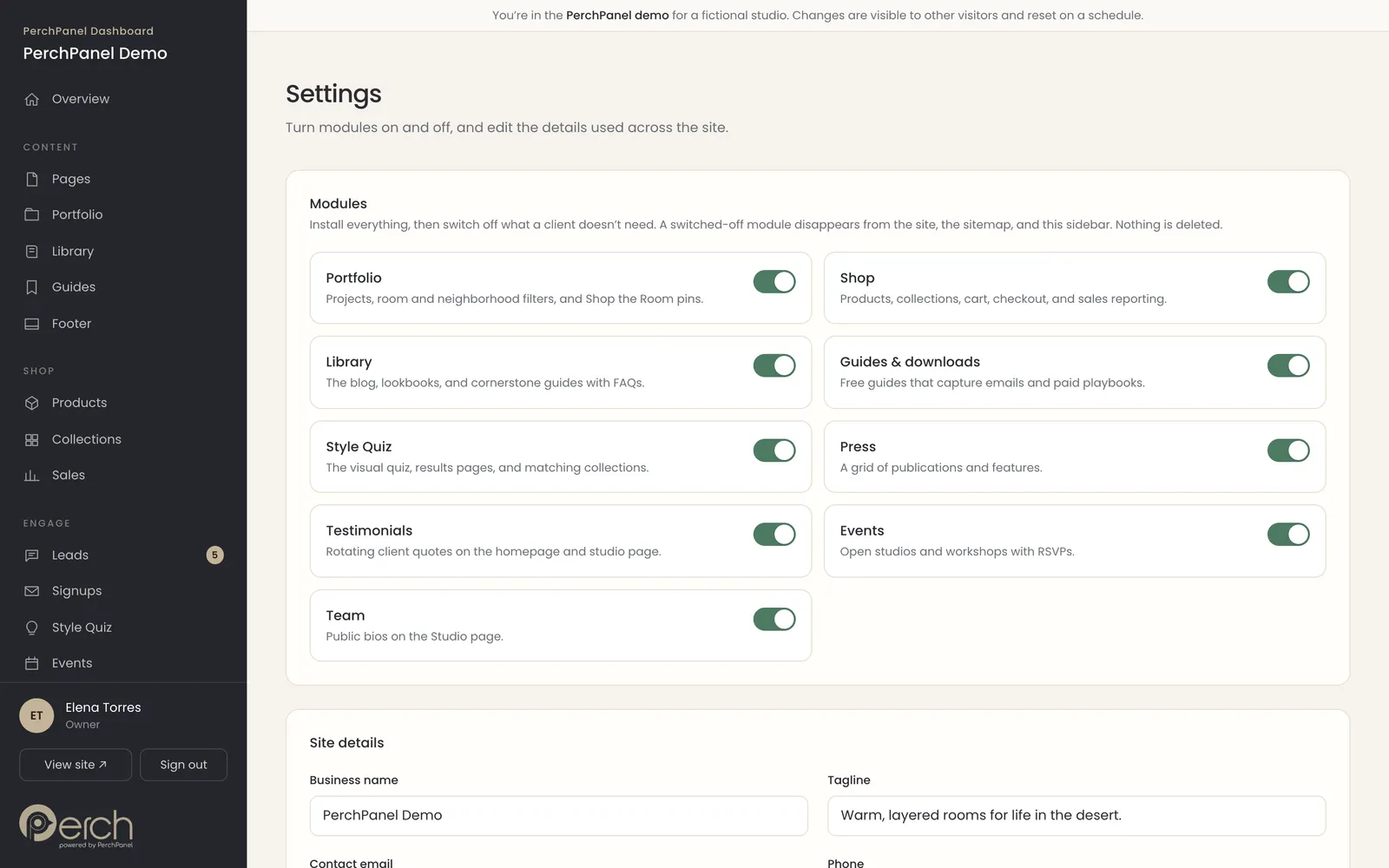
Do you need a shop, events or press? Switch each section on or off in Settings, and it disappears from the site, the menu and the sidebar. Site details like the business name, tagline and contact information are edited in the same place.
- Nine switches for the sections of your site.
- Business name, tagline and contact details.
- A sidebar that only shows what you use.
Plans
Pricing, inside the dashboard
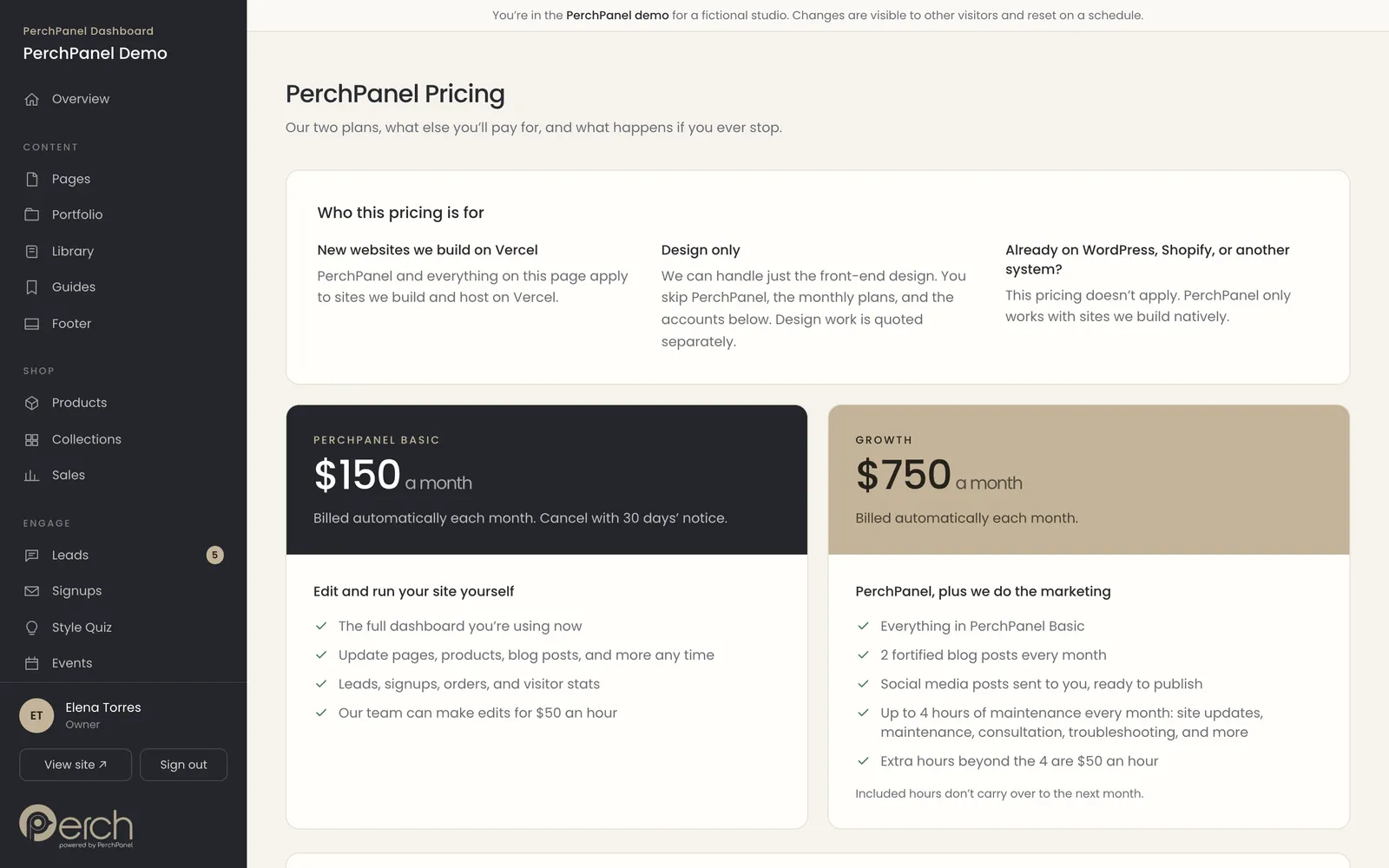
The dashboard includes its own pricing page, so an owner can see what PerchPanel costs, what each plan includes, what the services behind it cost and what happens if they cancel. Nothing is hidden behind a sales call.
- PerchPanel Basic and Growth, side by side.
- The services you pay directly and what they cost.
- What happens to your site if you cancel.
Mobile
Edit from your phone
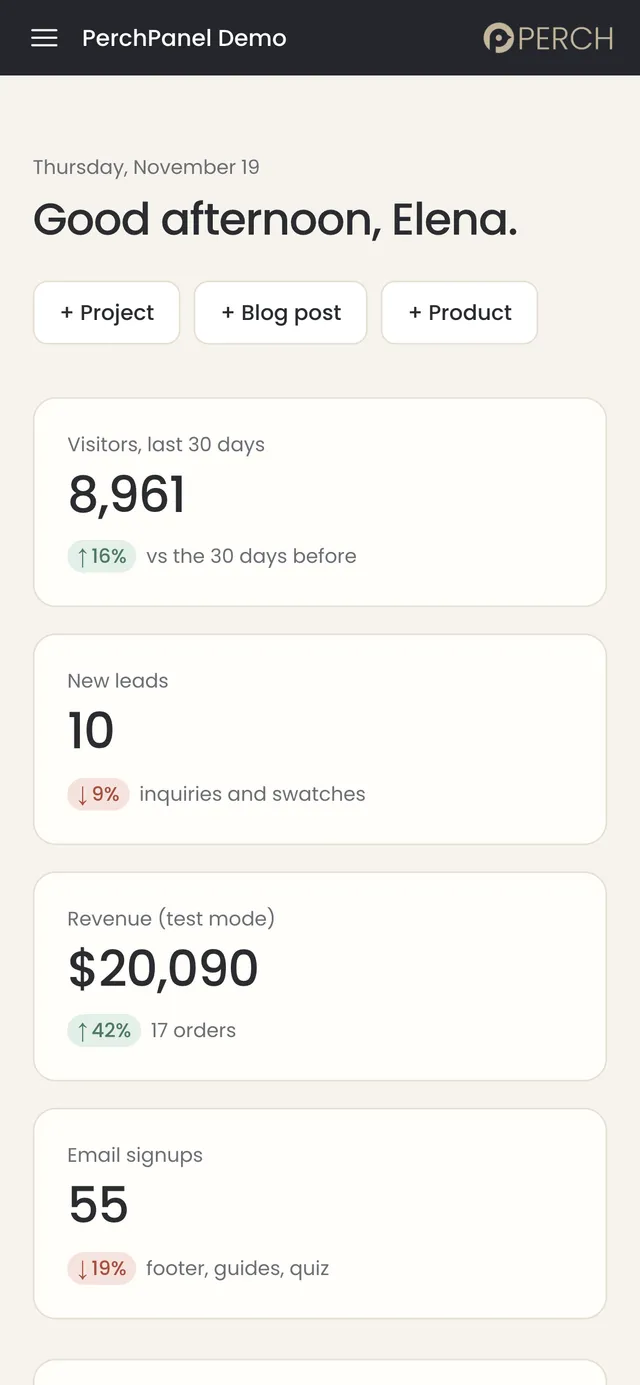
The dashboard is built for small screens too. Check the numbers, answer a lead or fix a typo from your phone, with the same plain buttons and the same safe edits.
- The same dashboard on any screen.
- Large, tappable buttons.
- Quick edits between meetings.
Plans and Pricing
All of this comes with every site we build.
Every feature on this page is part of PerchPanel Basic. Growth adds two fortified blog posts a month, social posts and up to four hours of upkeep. Prices are public, and nothing is hidden.
PerchPanel Basic
$150 / month
The full dashboard for your website, with your team and your own content.
PerchPanel Growth
$750 / month
Everything in Basic, plus content and upkeep handled for you.
One-time setup
$500 once
$750 if you sell products online. Paid once, whichever plan you choose.
PerchPanel only works with sites Birdsall.ai builds natively. Prices as of October 2026.
The Case Study
How and why we designed it this way.
The Challenge
Content tools usually fail in one of two ways. Developer-first systems are powerful and impossible for an owner to use. Page builders and plugin-heavy platforms are friendly on day one and then need constant updates, security patches and a specialist when something breaks. We wanted an editor that a business owner could pick up in a minute and still trust a year later.
- Let a non-technical owner change words, photos, products and posts without learning a system.
- Make safe edits the default, with no way to break the design by accident.
- Cover the whole site, not only blog posts: pages, projects, shop, events, team, leads and analytics.
- Help owners write content that search engines and AI assistants can find and quote.
- Remove the maintenance burden: no plugins, no theme updates, no separate hosting stack to babysit.
- Prove all of it in public, so a prospect can try the product before they talk to us.
The Strategy
We designed PerchPanel around four ideas and let every screen answer to them. The goal was an interface that feels closer to a well-organized notebook than to a control panel.
Plain language, always
Buttons say “Save changes,” “+ Blog post” and “View site.” Sections have names an owner would use, like Hero, Testimonials and Collection feature. There is no jargon to translate and no settings to hunt for.
Sections as building blocks
Each page is a stack of designed sections. The owner reorders them, hides one for a season or adds a new one, and the layout stays on brand because the design lives in the section, not in the owner’s hands. Freedom with guardrails.
Everything in one place
Content, shop and audience share one sidebar: pages, portfolio, library, products, collections, sales, leads, signups, events, testimonials, press and team. The overview opens on the numbers an owner actually checks, visitors, new leads, revenue and signups.
Built to be found
Search is part of the writing process, not a separate job. Every blog post carries a live checklist for a focus keyword, outside sources, links to the owner’s own pages and questions with answers, the things that help Google and AI assistants find and quote a page. We call these posts fortified.
Interface Design
Poppins
Friendly, geometric headings and labels
Inter
Clear, readable text for fields and tables
Warm neutral
A calm palette so the owner’s content is the color


The interface is deliberately quiet. A charcoal sidebar frames a warm canvas, cards sit on soft lines instead of heavy borders, and color is reserved for meaning: green for gains, a muted red for alerts, taupe for the product’s own accents. The owner’s photography and words do the talking, and the dashboard stays out of the way.
The Public Demo
Screenshots and promises do not answer “what will editing my website actually be like?” So we built a working demo and made it public. It is a complete sample website, designed and built by us, with PerchPanel running behind it. Anyone can open it, sign in with one click and change something. For a real-looking site built on PerchPanel, read the Ferry & Fog Interiors case study.
- No signup and no password. Pick Owner, Editor or Viewer and start clicking.
- Edits show up on the public site as soon as they are saved.
- Checkout runs in test mode, no email is sent and search engines are blocked.
- The demo resets every night, so a visitor can experiment freely.
- Roles show how an owner can give a teammate editing or read-only access.
Under the Hood
Simple for the owner, solid underneath.
PerchPanel is built on Next.js and deployed on Vercel, with a document store behind it. Every kind of content is described once, as a set of fields, and the editor forms, lists and validation are generated from that description. Adding a new kind of content to a site is a definition, not a new screen to design and test.
The storage layer is a driver. It runs from a local file while we are building and from Supabase in production, so the same site moves from a laptop to the web without changes. Because sites are built natively on the same stack, there is no theme, no plugin ecosystem and nothing for the owner to update.
- Generated editors from one set of field definitions.
- A swappable storage driver, local file in development and Supabase in production.
- Roles for Owner, Editor and Viewer.
- A mobile-friendly dashboard for quick edits on a phone.
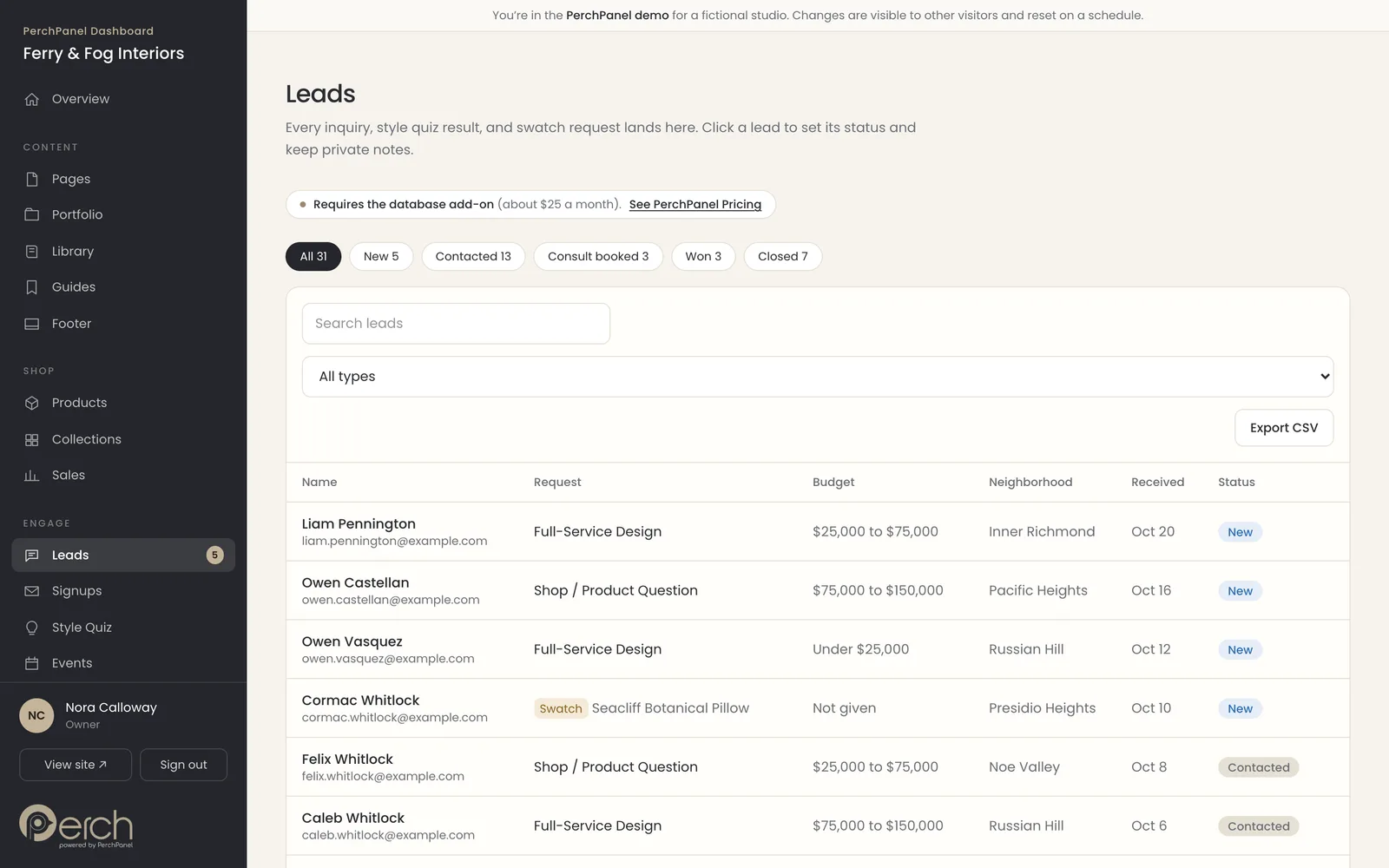
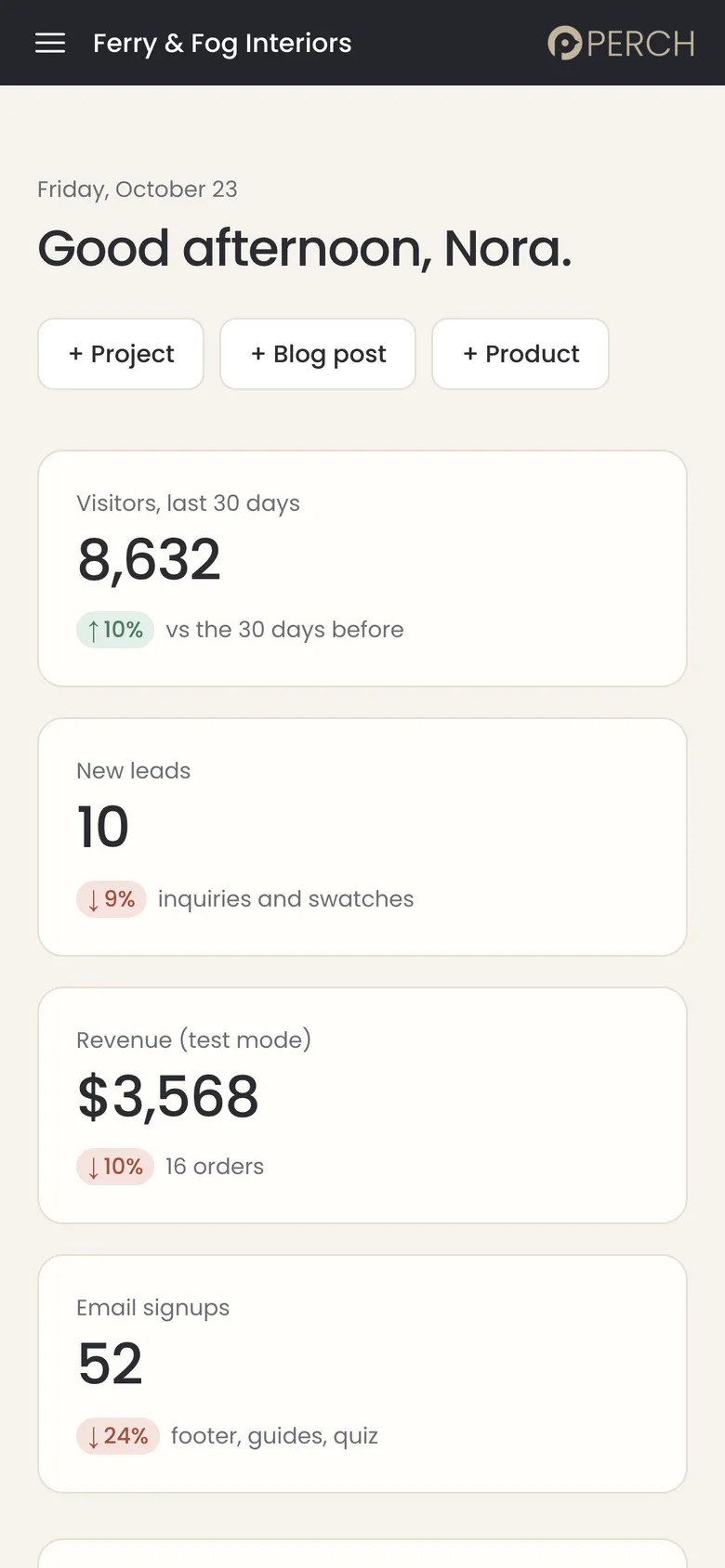
The leads inbox on desktop and the dashboard on a phone. The names and numbers in the demo are sample data.
Our Role
We led PerchPanel from idea to public product: the positioning and pricing, the interface and brand, the engineering, the demo and the content that explains it. The same approach, AI-native design and engineering, sits behind the sites it edits, and it is why a client who leaves WordPress for Vercel does not lose the ability to edit their own site.
The Outcome
PerchPanel gives every Birdsall.ai website an editor its owner can actually use. The product is live, priced openly and open to try in public, and the demo does the selling: a visitor signs in with one click, changes a headline, presses save and watches the site update.
It also turned a service business into a product business. Plans and pricing are public on the PerchPanel plans and pricing page, a walkthrough video explains it in about ninety seconds, and the same dashboard now sits behind the websites we build. The demo’s traffic, leads and orders are sample data, so there are no client revenue figures to report here.
More work
Ferry & Fog Interiors
A photography-led interior design website, built on PerchPanel.
PerchPanel plans and pricing
What it costs, who it is for and how it compares with WordPress.
ColorZone
A bold website, custom CMS and client portal for a Bay Area print company.
All Portfolio
Brand, web and AI-native work for growing companies.
Written and reviewed by Maureen Birdsall, Creative Director + AI Design Engineer. Published November 16, 2026. Updated November 19, 2026.